
This post is about an upcoming Microsoft Teams calling feature for a group of users. At Inspire 2023 Microsoft announced a shared calling for calling in Microsoft Teams. So far, there are already various ways to use Teams telephony to distribute calls for a specific group of people and make it ring. With the new feature, another one is added, which expands the range of options.
Shared calling enables a group of users to make and receive (PSTN) calls on a single (PSTN) phone number for this group. The users must be enabled for calling in Teams with the appropriate license (Teams Phone Standard; Teams Phone Standard included in E5). The group can scale up to contain up to 10k users. That would be huge. If I read and understood this correctly?
The announcement mentions that the rollout is planned “later in the quarter” (Q3 2023).
What’s the difference to call queues?
There are not many details available. As far as I can see and tell, the configuration and functionality is easier. There is no music on hold, no announcements and no greeting messages. No frills. There is a resource account with a phone number and definable (emergency callback) numbers for outbound calls.
I’m not sure if this is going to be available right away for all Teams calling deployment types (calling plans, direct routing, operator connect, Teams phone mobile)? The announcement reads “single phone number and calling plan” but no further details. That’s it.
How to configure shared calling?
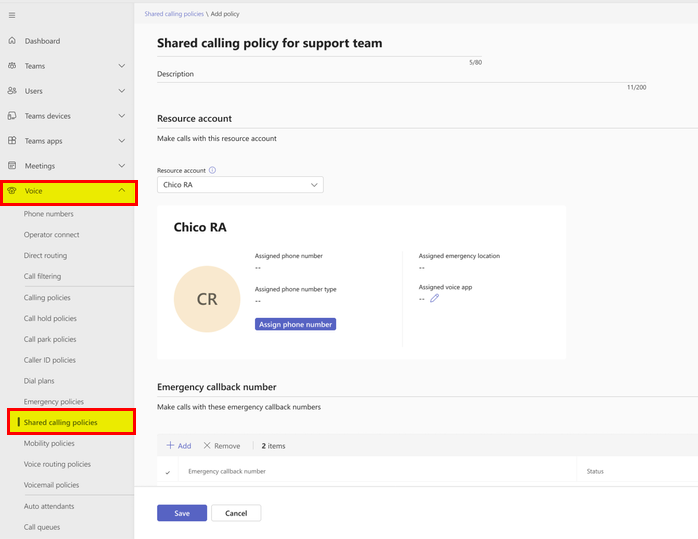
Users cannot set this up themselves. A Teams administrator has to create a Shared calling policies in the Teams Admin Center (TAC) and assign it to the group of people. First, like you might know from creating call queues and auto attendants in TAC, a resource account has to be created. The resource account must be licensed and requires a phone number.







 erik365.blog
Comment / Kommentar verfassen