
In this post I like to highlight the upcoming public preview of Microsoft Mesh. I case you have not yet heard or read about it: Mesh is a immersive 3D virtual experience for Microsoft 365 including integration into Microsoft Teams, e.g. for events, meetings etc.
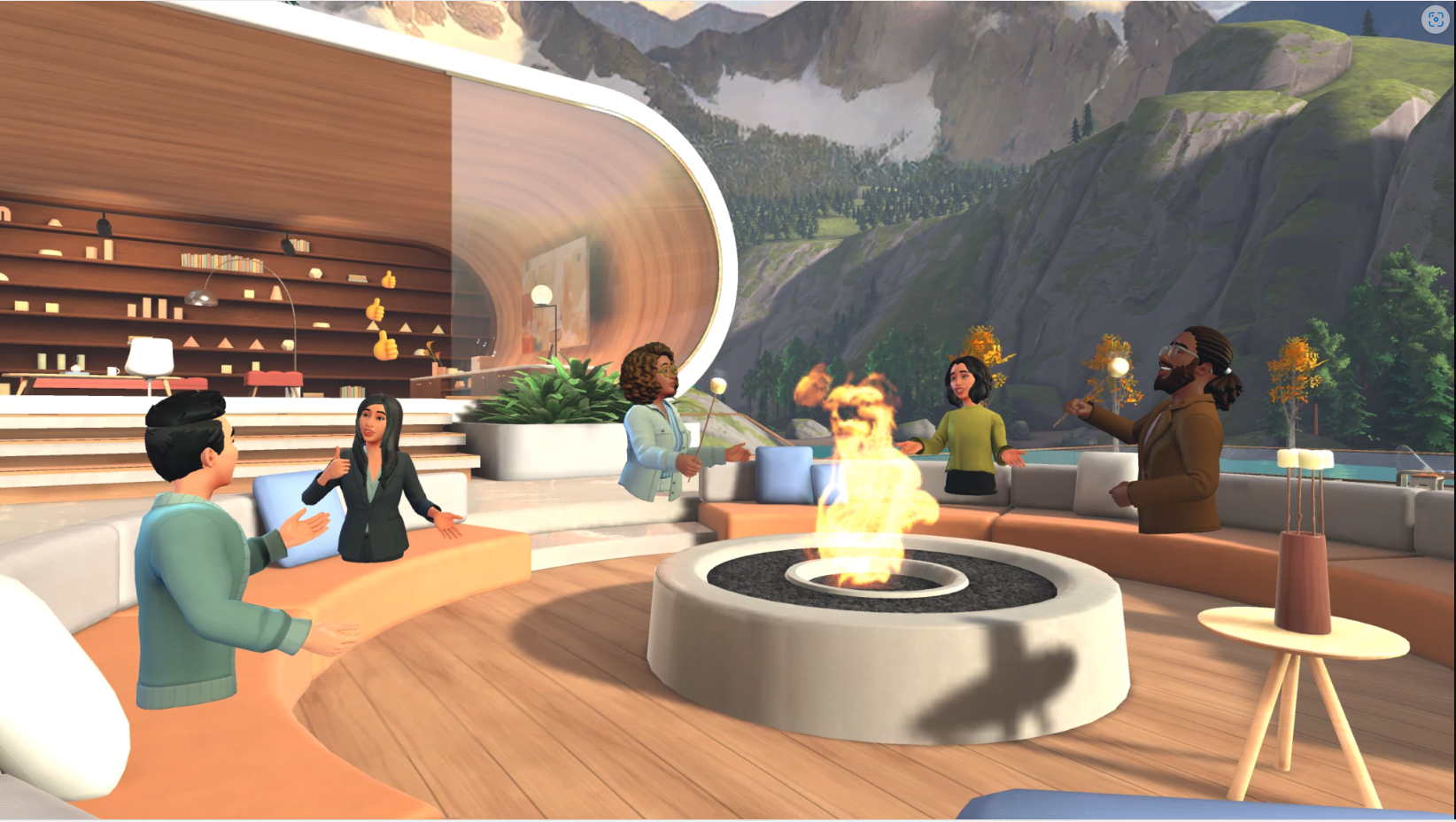
Microsoft Mesh, set to enter preview in October 2023, aims to revolutionize remote and hybrid work by providing a 3D immersive experience. It addresses the challenge of building relationships in dispersed work environments. Microsoft Mesh offers:
- 3D Digital Environments: It creates a sense of physical presence in shared 3D spaces, enhancing spatial interaction, co-presence, and immersion. This fosters meaningful connections and engagement, even without active conversation.
- Integration with Microsoft Teams: Microsoft Mesh is seamlessly integrated with Microsoft Teams, allowing users to join immersive spaces directly from Teams meetings. It offers avatars, seat assignments, spatial audio, interactive activities, and live reactions for a more engaging experience.
- Accessibility: Immersive spaces can be accessed using standard PCs or Meta Quest VR devices, with VR devices providing a richer experience.
- Customization: Users can choose from ready-made 3D environments and customize their avatars. They can also create custom immersive spaces tailored to specific business needs using a no-code editor or Unity-based toolkit.
- Enterprise-Grade Security: Microsoft Mesh is built on Microsoft 365, ensuring enterprise-grade security and privacy for all interactions.
- Integration with Outlook: Mesh events can be scheduled and discovered within Outlook and Teams calendars, streamlining event management and participation.
Requirements to get started?
Getting started with Microsoft Mesh involves enabling the Mesh app in Teams for users with specific licenses. Customizing immersive spaces requires downloading the Mesh app and Teams Premium licenses for users.
It can be used on a computer or with a supported VR device, right now Meta Quest VR.
Can I use it in Microsoft Teams?
Overall, Microsoft Mesh aims to enhance remote collaboration by providing a 3D immersive experience within familiar tools like Microsoft Teams, making virtual interactions feel more like in-person meetings and fostering deeper connections among remote teams.

Conclusion, opinion and summary
As of now I have not yet tested it but I’m planning to do so. I experienced “virtual worlds or spaces” and the use of VR primarily from games, theme parks or showrooms, for example, to be able to view or edit certain objects in advance in a immersive 3D experience like a kitchen, building or car. During the pandemic, there were also occasional virtual trade shows or events with the option of participation in a virtual, 3D space. However, I have not yet participated in such an immersive online event. I’m excited to test it.
Today, many people in online events and meetings are finally using video and not only voice. But this took some time that people started to (slowly) adopt it, in my opinion. Mesh does not show the actual person as video does, but avatars. I’m excited to see how this will be adopted in Microsoft Teams meetings in the future. What do you think how is Mesh getting accepted and adopted in the business, in the future?







 erik365.blog
Comment / Kommentar verfassen