
In this post I like to highlight what I have noticed recently regarding Teams voice application policies. Microsoft Teams calling is enriched with features over time as we all know because it is a cloud service and steadily changed. A few days ago I noticed that the voice application policies received a bunch of settings which are shown as preview features. As we also know, preview means that things might be or are subject to change at any time by Microsoft.
What are Teams voice application policies?
First of all, let me quickly explain and recap on what voice applications are there for.
In Microsoft Teams telephony (also often mentioned as calling/dial tone/… feature) enables people and organizations to build call flows. This helps to optimize the flow of incoming and outgoing calls, e.g. distribute an incoming call to available agents during business hours, make an outbound call as an agent by using a number which is used for incoming call distribution and more.
What’s new in Teams voice application policies?
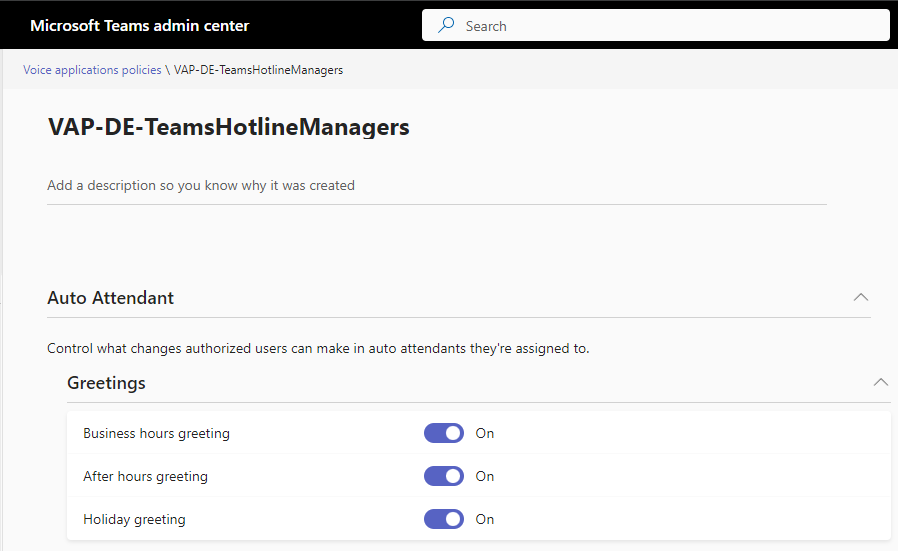
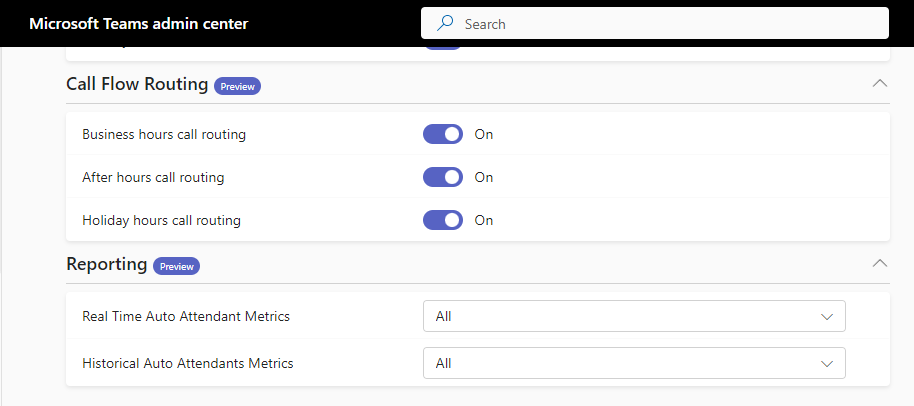
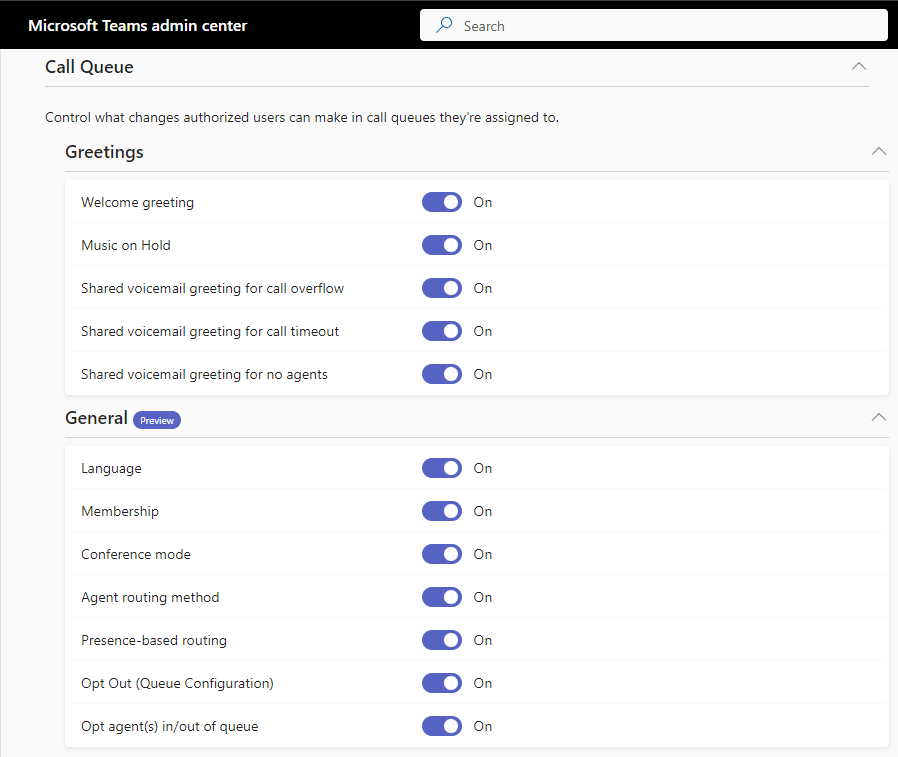
As mentioned I noticed a bunch of new features but before I explain everything in detail at this point let me show you some screenshots, depicting what’s new. For more details also please check out the most recent documentation.
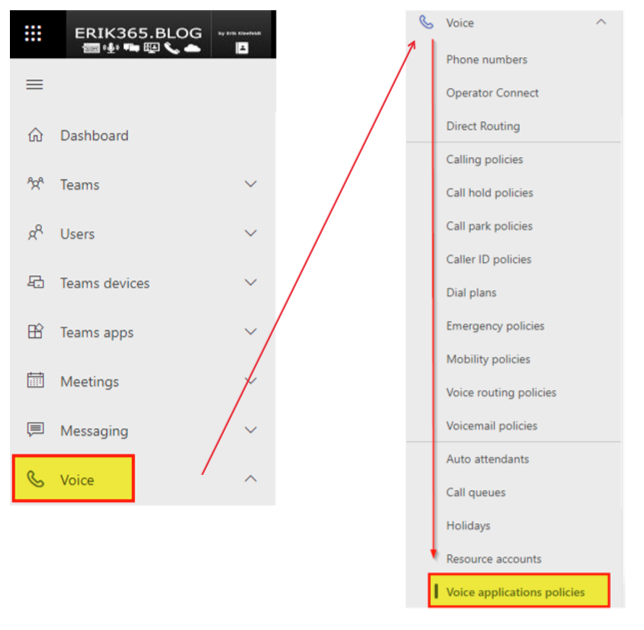
Please note, voice application policies are enabling e.g. supervisors of a Teams Auto Attendant or Call Queue specific features. I would not provide everything to these users just because.


Conclusion, opinion and summary
At first glance, the features seem very handy for creating more professional and better call flows and also being able to see more about them. Personally, I like the fact that Microsoft is developing advanced call flow features at this point and bringing them into Microsoft Teams. However, in my opinion, this is always a difficult matter, because for more complex call flows, there are third-party services whose focus is on this area, among others. However, the third-party services I know are capable of more than just complex call flows, keyword omnichannel contact center.
I am excited to be able to test the preview functions on the client side soon. Currently I can see and set the settings in my Microsoft 365 tenant, but on the client side (Windows, Web, iOS) I have not been able to find it yet. That means this time again, wait a bit and see what happens. Stay tuned!







 erik365.blog
Comment / Kommentar verfassen