
As we now all know it is very important to ask the right question or enter the suited prompt. There are countless blogs, videos and other contents available describing you how to prompt Copilot for Microsoft 365 or other AI-tools to get the expected results. I’m not going to explain the art of prompting here, I like to show you an app help people in your organization to submit and view prompt (templates). Microsoft and other online resources offer a lot of information, tips and tricks how to get your prompts on track and in the right direction.

In my experience it is very important to specify your prompt the best possible way. Depending on your specific use case, possible data (sources) and intended outcome even the wording and used terms within the prompt are key to success, in my opinion. Fortunately, there are often prompt histories at hands where you can look up your earlier used prompts but what if you need these in a team, department or even the whole organization?
I like to point out a very handy tool and approach to save specific prompts within a Power App in a team within Microsoft Teams. The app is called “Prompt Buddy” by Stuart Ridout and Erik Olsson. It can be found on their GitHub repository and deployed into your a team in Teams to enable people in your organization to submit their prompts. Anyone who can access the Prompt Buddy as a resource in your org can either look for, get inspired or submit prompts (as templates for others) for different apps and use cases. It can be for prompting Microsoft 365 apps like Word, Excel, Outlook and so one.
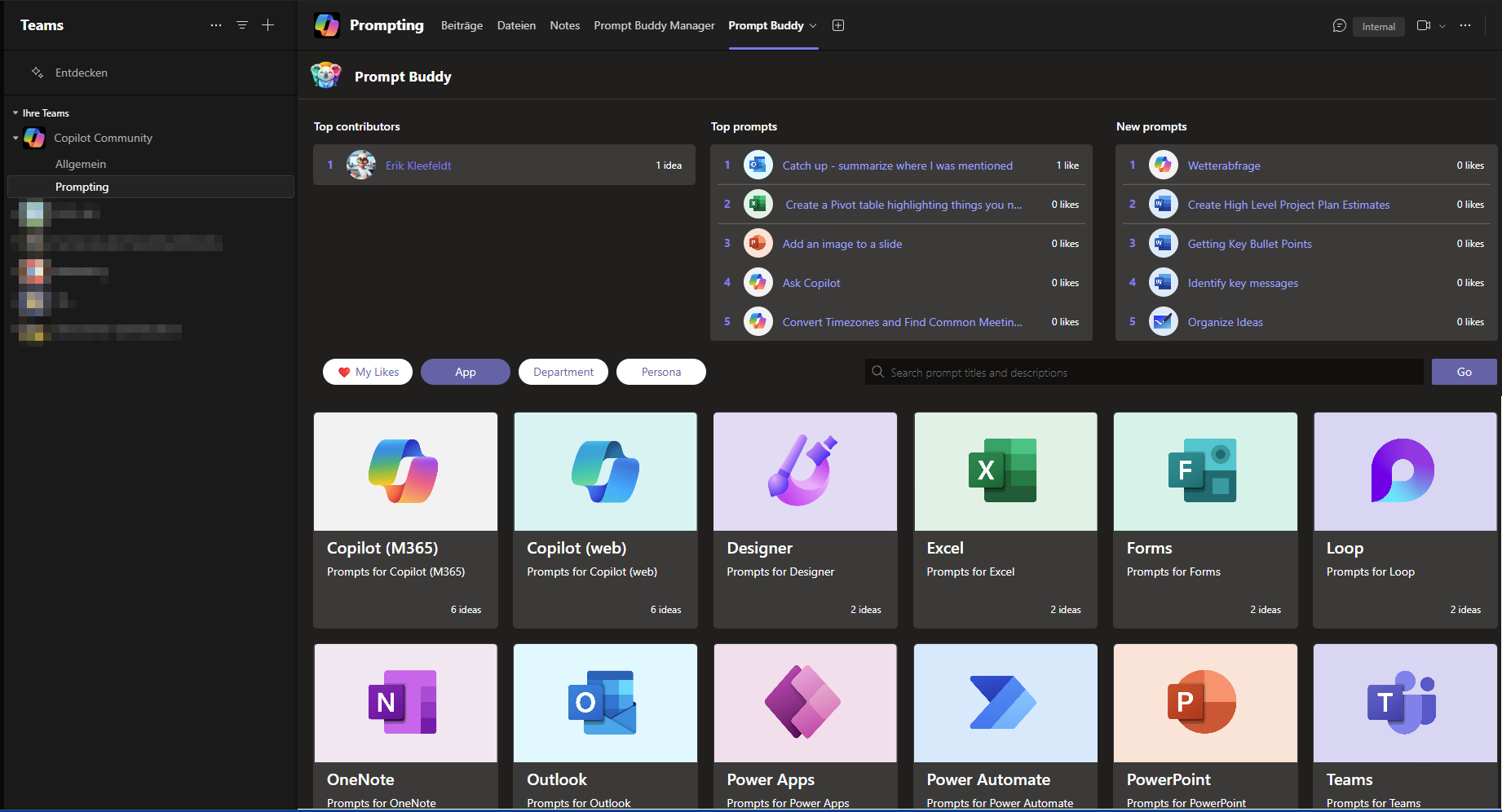
The following screenshot depicts a screen of the current app. As you can see there is a ranking list for contributors, ranking for prompts based on “likes” you can give and relevance (creation date, newest). Below there is search bar to enter key words to find related and available prompt templates. Furthermore you can click on a category to view available prompt templates or to submit a prompt.
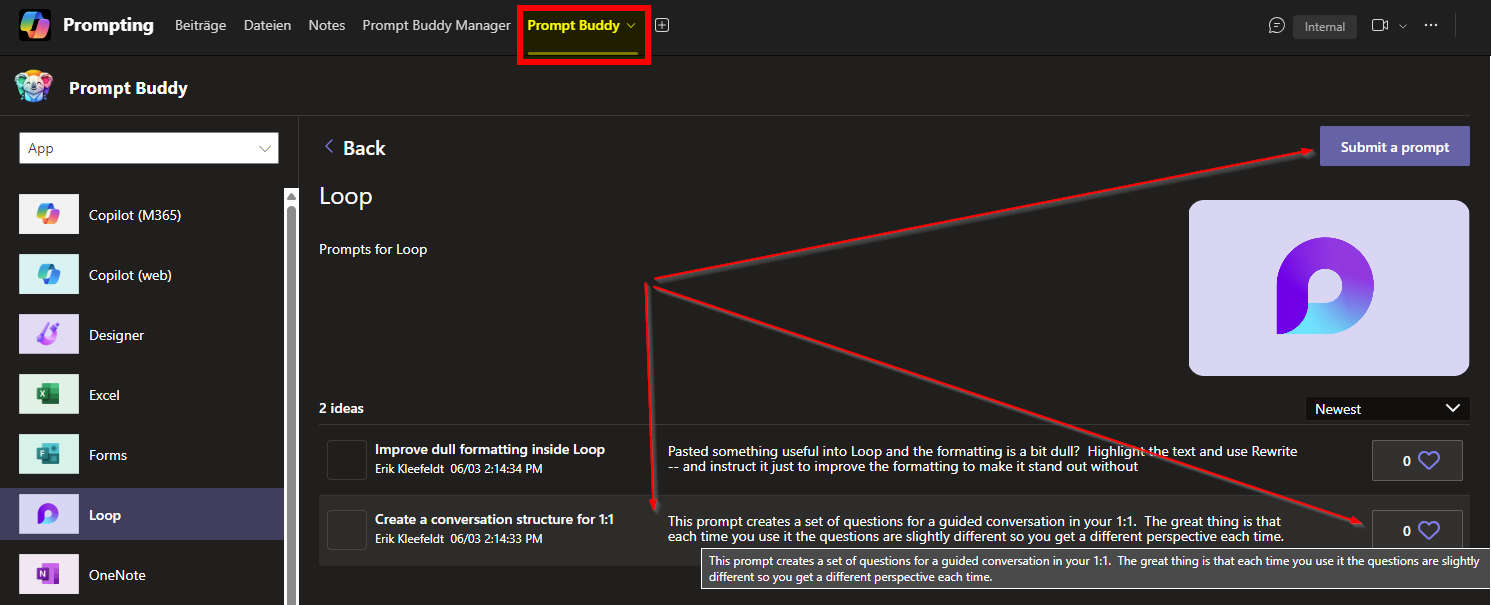
Other than Copilot Lab you can create own categories within your Prompt Buddy and you can create your own prompt template repository.

Conclusion, opinion and summary
I hope you like the Prompt Buddy as I do? It complements the Copilot Lab and other resources to build your own prompt template gallery. The biggest advantage is that you can save individual prompts centrally, especially those that are relevant for a team. This means that tried and tested prompts can be saved and shared with others in an appealing way. This is particularly useful for all those prompts that not just one, but several people may have been working on for some time to achieve the desired result.
If you are also familiar with customizing apps for Microsoft Teams or would like to do so, you can use the source code to adapt the app to your individual needs. However, you should already have a deeper understanding of this, as the app also creates a Dataverse database, which means that all relationships, tables etc. must be correct.
Many thanks to the authors of the app Stuart Ridout and Erik Olsson, for the app but also for the inspiration delivered with the app.








 erik365.blog
Comment / Kommentar verfassen