
Microsoft is set to update its OneDrive storage policies for business and enterprise accounts, starting in late January 2025 and concluding by late March 2025. Notably, these changes will not impact education tenants. What do you need to know about the upcoming change to OneDrive Storage policies based on the Microsoft 365 message center notification MC836942?
What are the key changes?
- Automatic archiving: OneDrive accounts that remain unlicensed for over 90 days will be automatically archived and inaccessible to end users. Admins will still be able to view these accounts but will need to take action to restore access.
- Access and fees: To access archived files, admins can enable unlicensed account billing for a fee of $0.05 per GB per month. Reactivating an archived account costs $0.60 per GB and takes up to 24 hours, with access provided for 30 days before the account returns to an archived state.
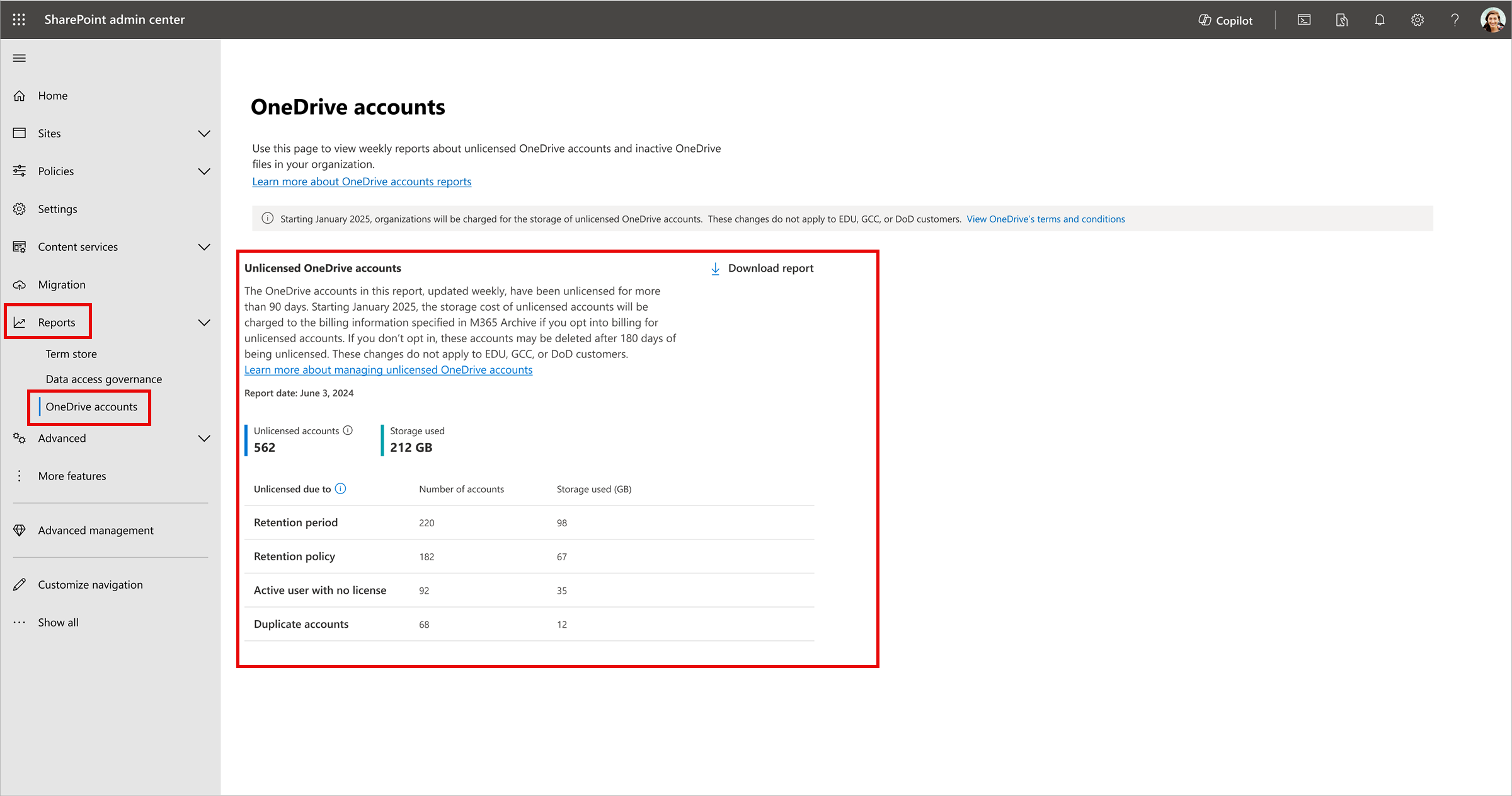
- Admin actions: Admins should review unlicensed accounts starting July 26, 2024, through the SharePoint admin center. They can then decide to delete, renew, or set up billing for these accounts.
What do you have to prepare?
- Review accounts: Use the new reporting tools to check the status of unlicensed OneDrive accounts.
- Decide on actions: Before January 27, 2025, decide whether to
- delete unneeded accounts or
- set up billing for those you wish to keep,
- and inform users of the upcoming changes.
For education tenants, while these changes do not apply, unlicensed accounts can still pose risks. Admins should review and manage these accounts accordingly. Stay updated and take necessary actions to ensure a smooth transition!







 erik365.blog
Comment / Kommentar verfassen