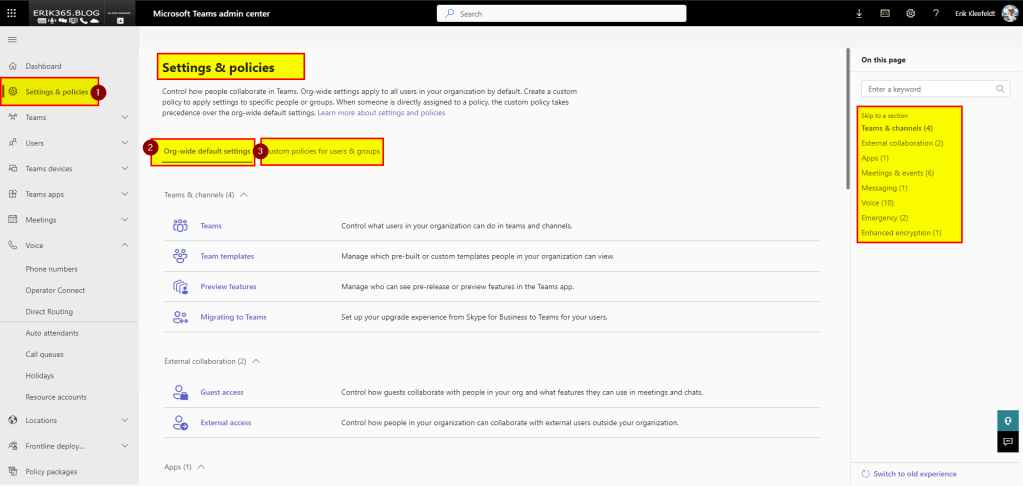
In this post, I want to highlight the updates and upcoming changes in the Microsoft Teams Admin Center. The interface is evolving, with settings and policies being transferred and integrated into a new section for centralized management. I observed these adjustments in my demo and test environment a few days ago. It appears to be rolling out gradually since it’s not yet the standard across all tenants and Teams Admin Centers as of August 2024.
Initially, I observed it when I accessed the TAC and went to the Voice space, which appeared quite condensed. Now there’s an added section in the navigation menu titled “Settings & policies,” evident in the screenshot provided beneath. Furthermore, please note that the URLs for the policies have changed as well (see source URL below each screenshot).
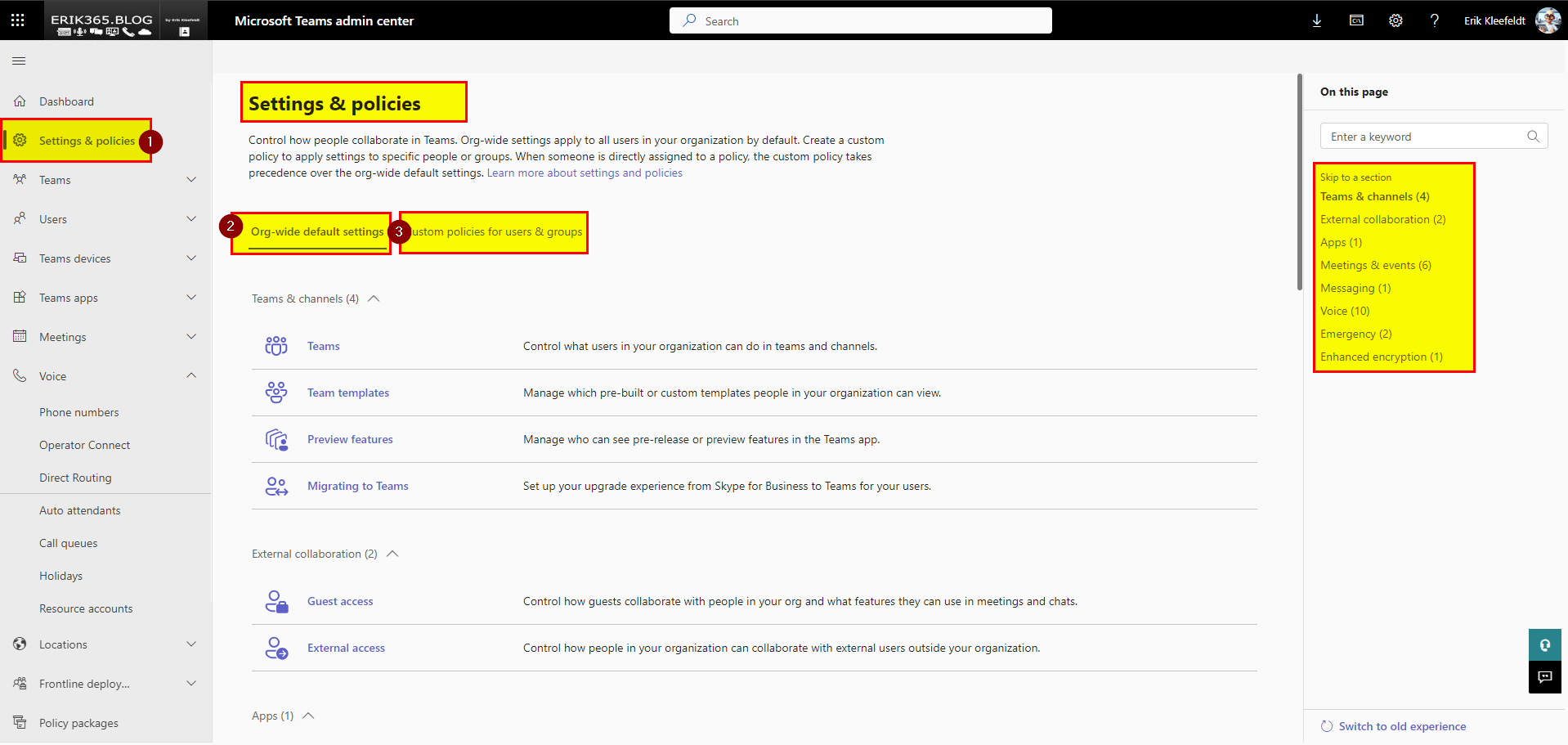
All global and org-wide polices can be found in the first subsection, e.g. the ones for voice. As depicted in the next screenshot.

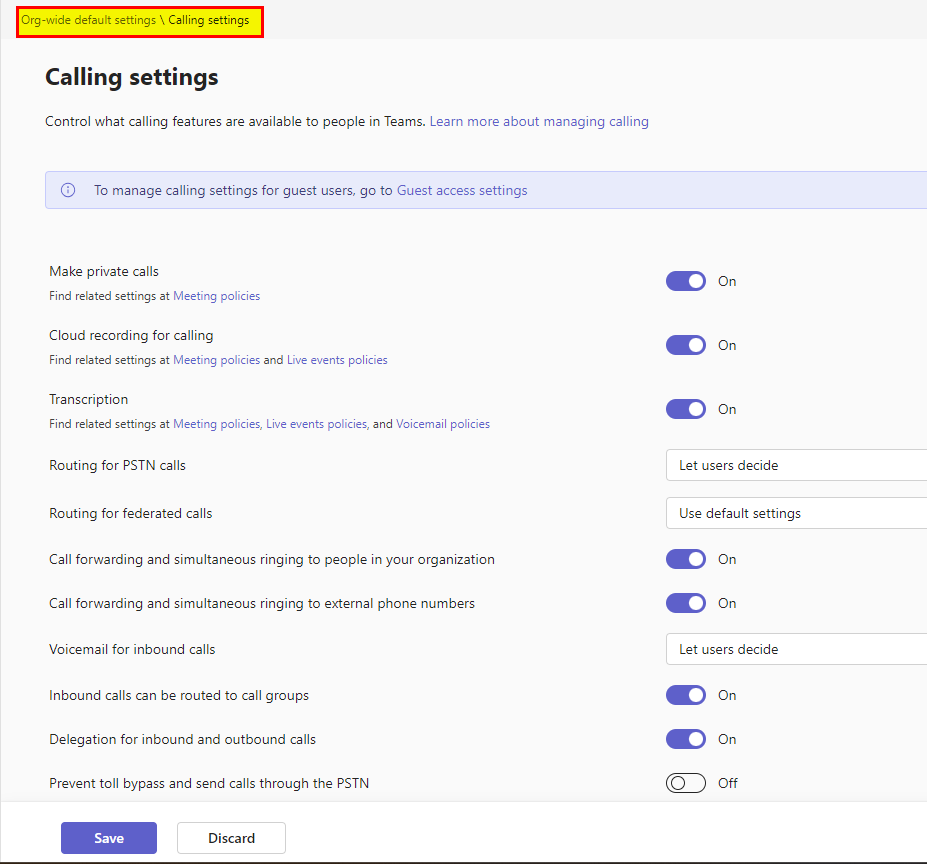
By clicking on a org-wide default setting, it opens the formerly known global (org-wide) policy.
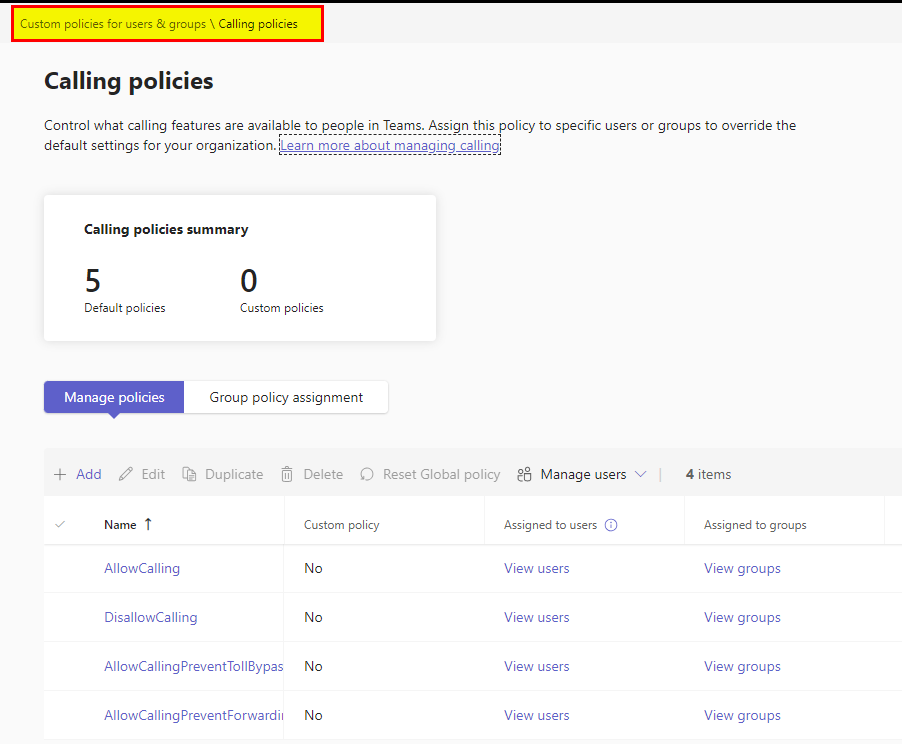
Custom policies are in the second sub-section.
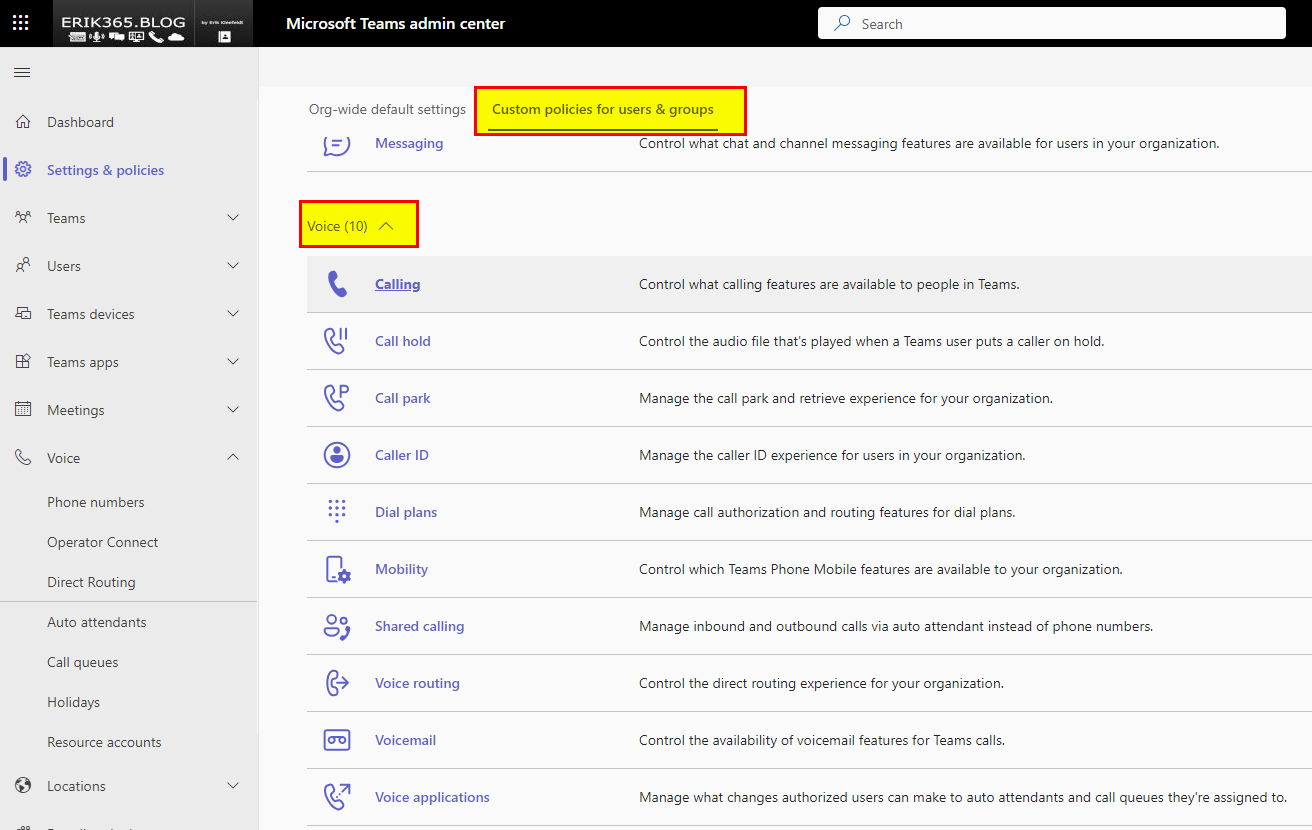
By clicking on a specific custom policy the available custom policies are shown in a new screen.
Conclusion, opinion and summary
The Teams Admin Center is evolving, and things are under review and subject to change. That’s the default in the cloud era. I believe I’ll adapt quickly and it’s not challenging. I had no issues with the previous navigation and have none with the new change. Contrarily, I appreciate it because it unifies what’s related into a single location. Although the view is a bit a waste of space, in my opinion. Too much blank space between headlines and each settings or policy at 100 % zoom on 1080p full screen display. I dislike having to scroll up and down.
What do you think of this change? Do you like it? Did you see a Microsoft 365 message center notification or roadmap item to this change? I have not. Feel free to comment and let me and others know your opinion.







 erik365.blog
Comment / Kommentar verfassen