
In this post I like to point out a nice capability to manage blocked domains and users for Microsoft Teams External Access (~federated, external chats). The last months there were several changes implemented to Microsoft Teams External Access allowing Teams and Security Admins to make more granular configurations. One of these is called “Allow my security team to manage blocked domains and blocked users” in the External Access section of the Teams Admin Center. This enable Teams Admins to delegate the management of blocked domains and users to Security Admins who are in control of the Defender for Office 365 configuration and operations.
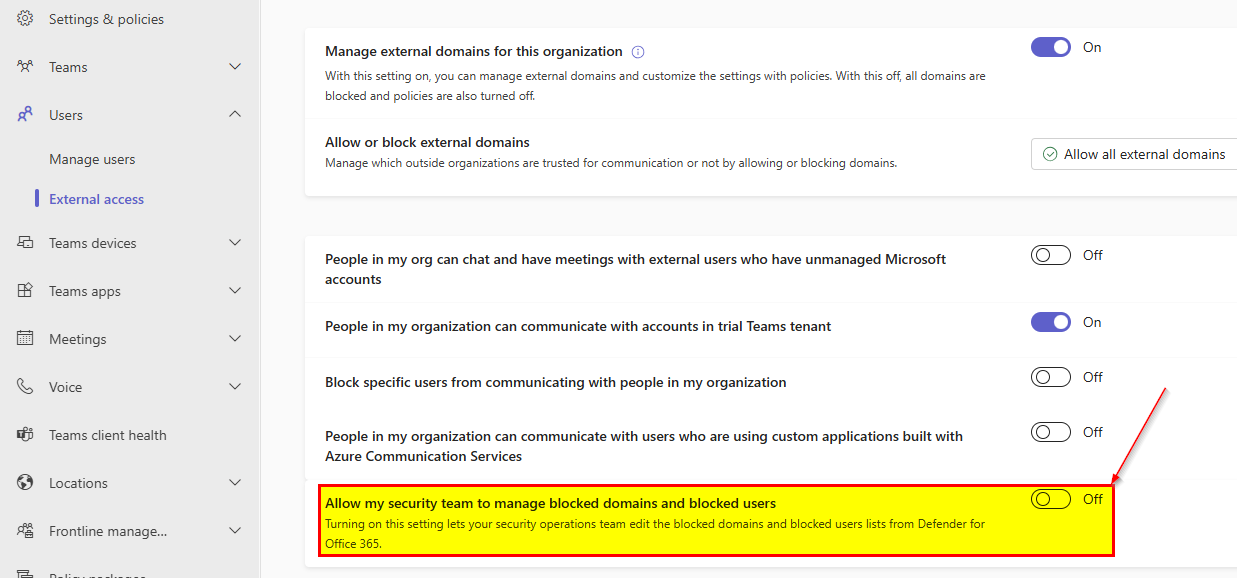
By turning this on blocked domains and users from the Defender for Office 365 configuration are applied (after approx. 24 hours). Currently the documentation says that 4000 domains are the maximum to be blocked. The Tenant-wide allow and block list is used for this: https://security.microsoft.com/tenantAllowBlockList
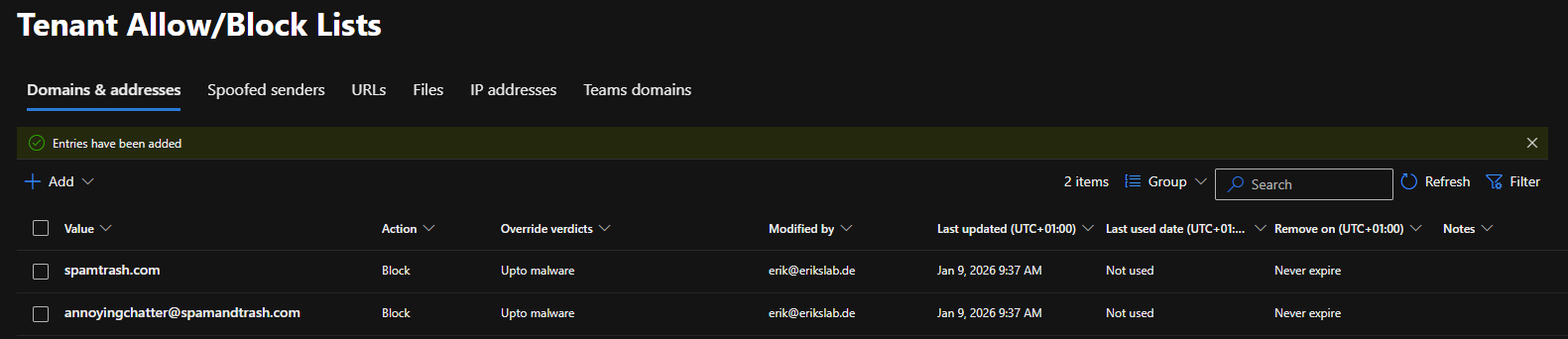
Caution, please note, in the default domain and addresses list you can add domains and addresses to be allowed or blocked as depicted below which is primarily for mail.

To configure domains and users for Teams you need to go to the Teams Section.
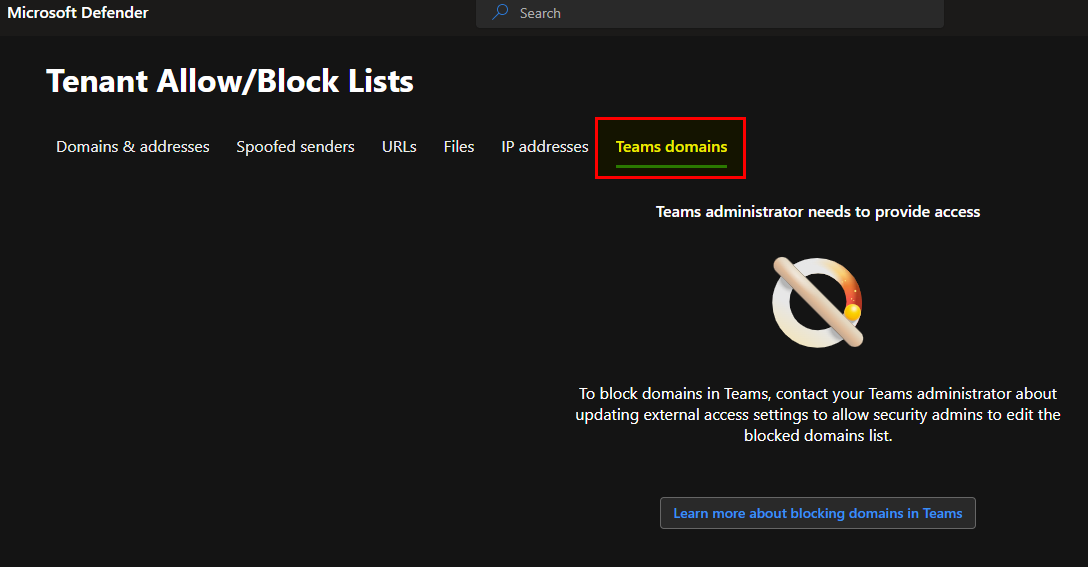
But it must be enabled by the Teams Admin in the External Access space first.
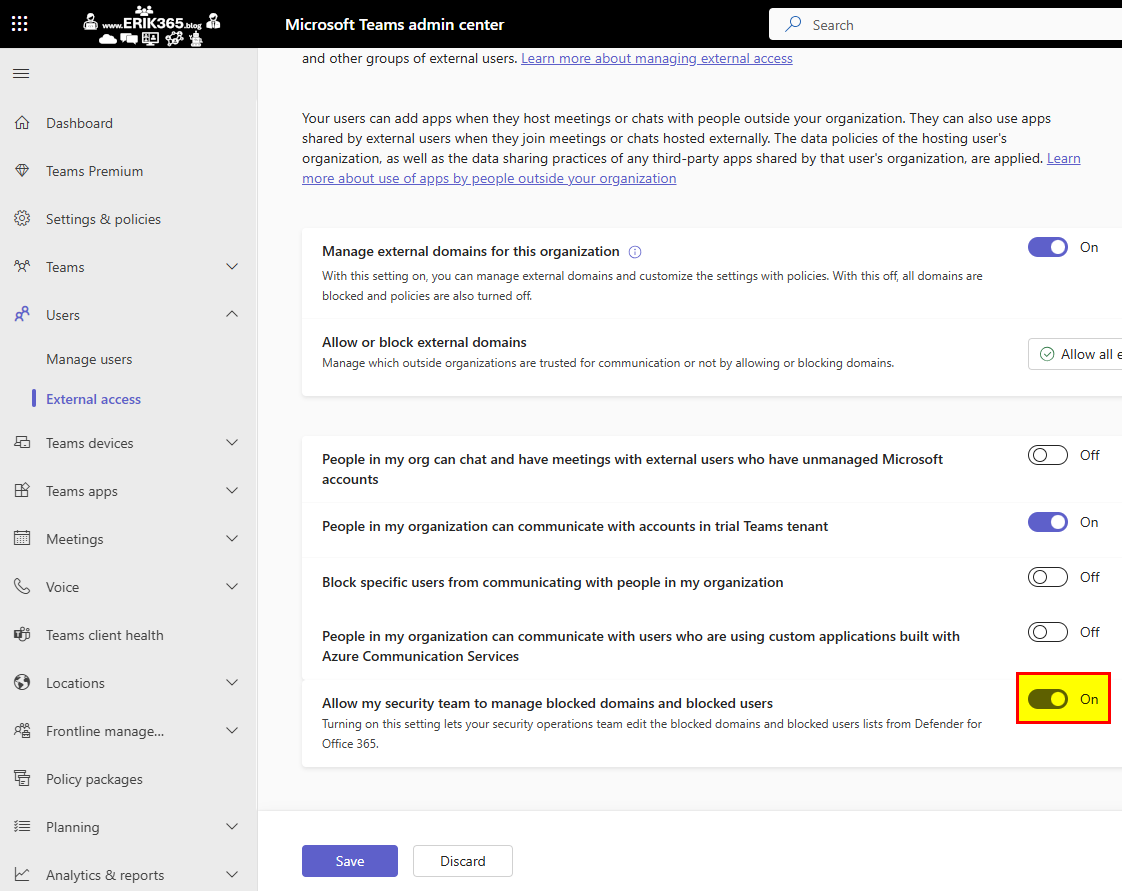
After enabling it, a few seconds later I was already able to start adding domains and addresses and the information disappeared.

On the flyout appearing on the right you than can add up to 20 entries (domains, addresses).
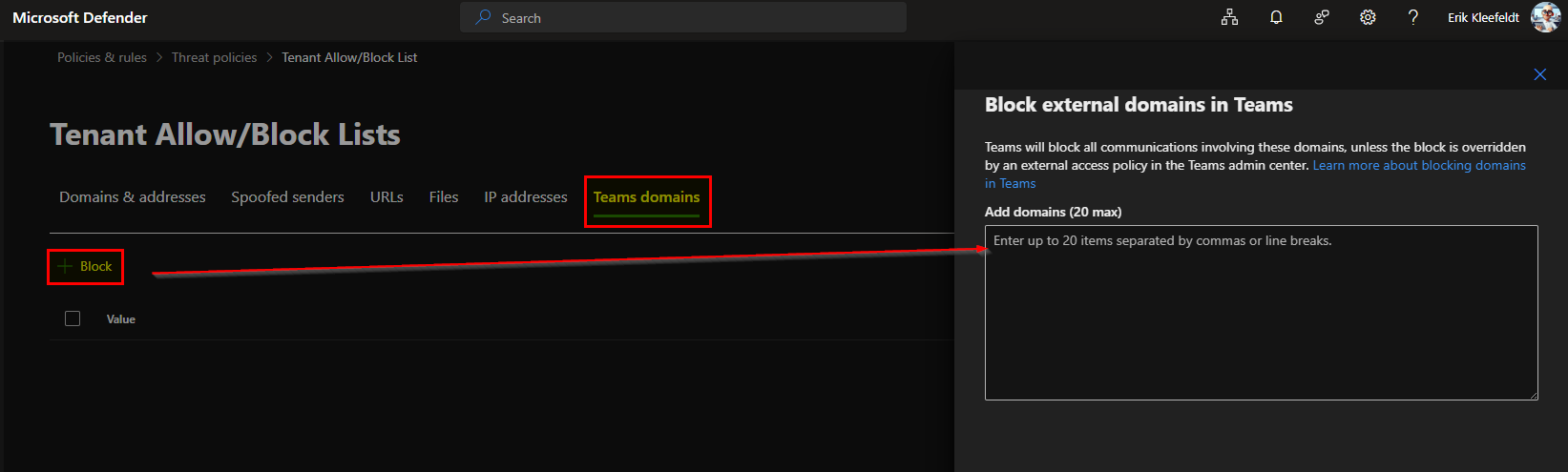
In this box you can now add domains to be blocked for Teams.
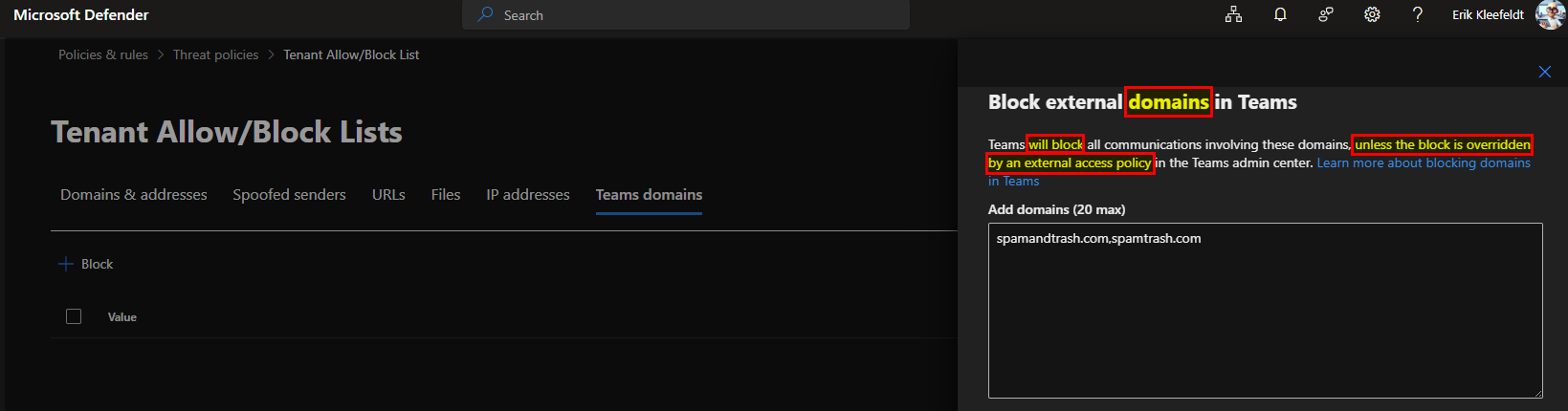
However this could be overwritten if a Teams Admin would configure it differently in Teams Admin Center by other configurations within External Access policies which also offer allow/block domain features.
Teams will block all communications involving these domains, unless the block is overridden by an external access policy in the Teams admin center.
This is very important because this requires that you have clear and defined strategy and process on how to block domains and users. Otherwise in organizations wherein roles and responsibilities are strictly split up managing both could end up in chaos and redundant work by each Admin.
I did not test to configure this by using Teams Power Shell or Graph API however in larger organization it might make sense to automate this at least partially. This would require that you need to check the feasability to script and automate it. I’m just thinking out loud that this could be achieved with an appealing froms or Power App in conjunction with an approval flow in Power Automate Flow and a Azure Function for the Teams Power Shell/Graph API Script.
Resources
- Block domains and addresses in Microsoft Teams using the Tenant Allow/Block List – Microsoft Defender for Office 365 | Microsoft Learn
- Availability and use of Teams apps by different types of users from outside an organization – Microsoft Teams | Microsoft Learn
- IT Admins – Manage external meetings and chat with people and organizations using Microsoft identities – Microsoft Teams | Microsoft Learn






 erik365.blog
Comment / Kommentar verfassen