
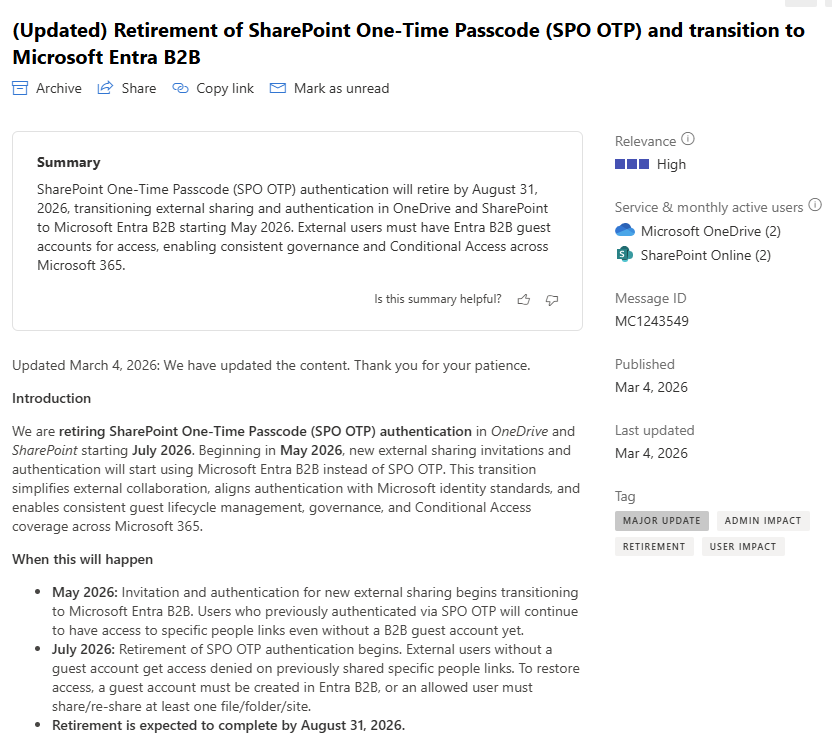
Microsoft plans to retire SharePoint One‑Time Passcode (SPO OTP) authentication for external sharing in OneDrive and SharePoint starting July 2026, with new invitations shifting to Microsoft Entra B2B beginning May 2026, based on MC1243549.
This change unifies external collaboration under Microsoft’s modern identity platform and ensures consistent governance, auditing, and Conditional Access enforcement for all guest users.
Source: Microsoft 365 Message Center Notification MC1243549


What’s the timeline?
- May 2026: New external sharing invitations use Entra B2B. Existing SPO OTP users can still access older links temporarily.
- July 2026: SPO OTP retirement begins. External users without a guest account will receive access denied on previously shared links,
- By August 31, 2026: Full retirement expected
What’s changing?
- The EnableAzureB2BIntegration setting will no longer influence external sharing.
- Entra B2B becomes mandatory; disabling it will not be possible.
- Authentication events and guest lifecycle actions move to Entra audit logs.
What’s the impact on external users?
- Existing B2B guests: No change
- Users without a guest account: New links automatically create a guest account.
- Older links work via SPO OTP until July 2026 afterwards access requires a B2B guest account.
Access can be restored by manually creating a guest account or by re‑sharing any item, which triggers automatic guest creation.
What does IT need to prepare?
- Inform users that older SPO OTP–based links may stop working from July 2026.
- Verify that email OTP for Entra B2B is enabled if required.
- Review external sharing and Conditional Access policies.
- Optionally identify external collaborators without guest accounts and add them proactively.
- Update internal documentation
Resources
- Microsoft 365 Message Center Notification MC1243549
- Add and manage B2B collaboration users in the Microsoft Entra admin center | External ID | Microsoft Entra | Microsoft Learn
- Email one-time passcode authentication for B2B guest users | External ID | Microsoft Entra | Microsoft Learn
- Frequently Asked Questions: Improvements to external sharing in OneDrive & SharePoint | SharePoint in Microsoft 365 | Microsoft Learn
- Overview: B2B collaboration with external guests for your workforce | External ID | Microsoft Entra | Microsoft Learn
- Quickstart: Add a guest user and send an invitation | External ID | Microsoft Entra | Microsoft Learn
- SharePoint and OneDrive integration with Microsoft Entra B2B | SharePoint in Microsoft 365 | Microsoft Learn






 erik365.blog
Comment / Kommentar verfassen