
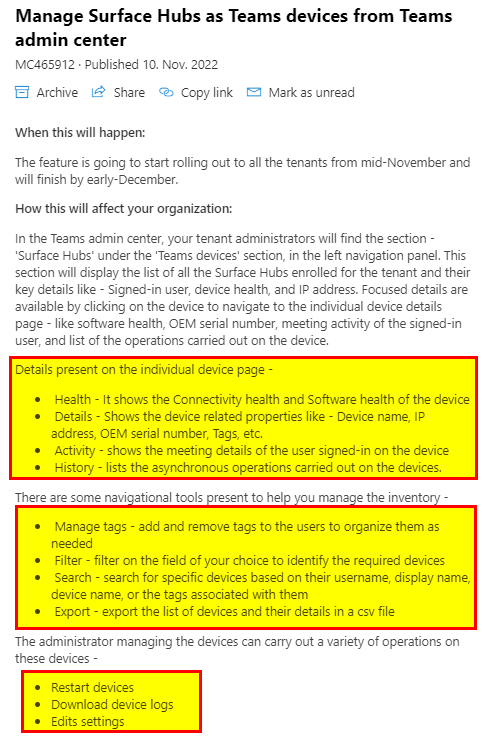
Microsoft is adding more and more features into Microsoft Teams and its administration, as we all know. This post is about a noteworthy update on Microsoft Teams device management. If you use many certified devices for Microsoft Teams you might already know that you can manage these within the Teams Admin Center (TAC). In a recent Microsoft 365 message center notification MC465912 it was mentioned that you can now also manage Surface Hubs in TAC.

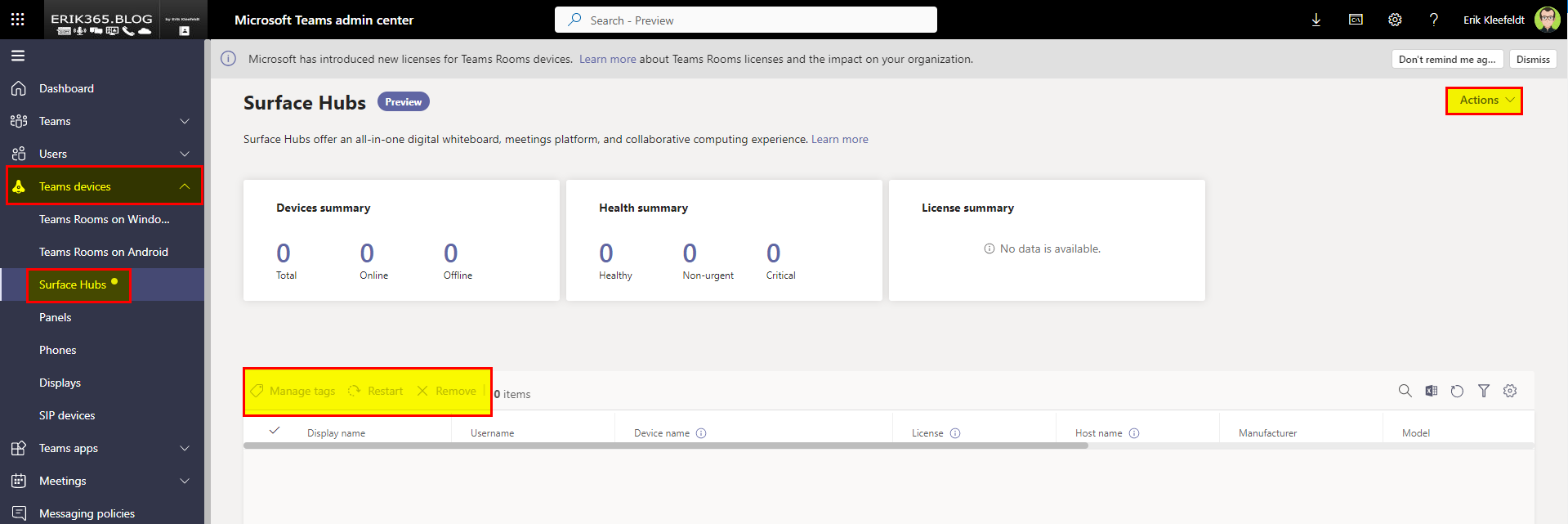
Teams Admin Center – Teams devices – Surface Hubs
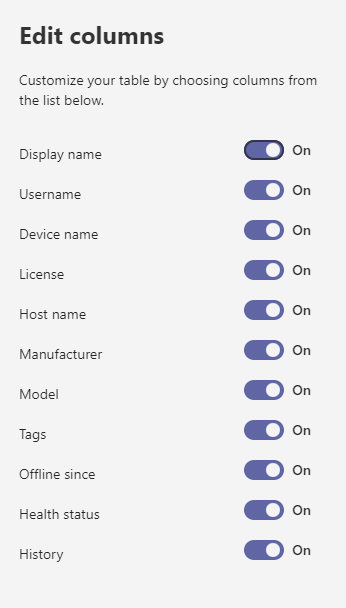
On this page you can manage your Surface Hubs and view the following information (if you have Surface Hubs in your environment):
Conclusion, opinion and summary
Managing Teams devices within the TAC is comfortable as well as secure in regards of permissions. For some time now, you can configure more precise administrative permissions for Teams device admins due to the fact that there is a new role available, called Teams Devices Administrator (see screenshot below).

Of course, managing Teams devices in the Teams Admin Center is not everything. It’s an overview, there are other areas e.g. for security configurations (conditional access, mfa, …) which you also might want to manage but that’s not in scope of the Teams Devices Administrator role (at the time of writing this). Ultimately, it’s a big advantage to see all Teams devices at one admin center at a glance. This makes it easier to manage them without switching through admin centers. For further management capabilities there is the Microsoft Teams Room Pro Management Portal which requires (soon) a Teams Room Pro license (which becomes more or less mandatory if you soon have either 25+ devices running on a Teams Room Basic licenses or want advanced Teams room and management capabilities).
Additional resources
- Microsoft 365 MC465912 Manage Surface Hubs as Teams devices from Teams admin center
- Microsoft 365 Roadmap ID 97218
- Manage your devices in Microsoft Teams – Microsoft Teams | Microsoft Learn
- Microsoft Teams Room Pro Management Portal
- What licenses are required for Microsoft Teams Rooms soon? – erik365.blog
- Azure AD built-in roles – Azure Active Directory – Microsoft Entra | Microsoft Learn







 erik365.blog
Comment / Kommentar verfassen