
Recently the Microsoft Teams Admin Center (TAC) received an update. The update brings together what belongs together like the calling space, user space and voip space. Furthermore, I noticed that the performance of the TAC was improved so that clicking on another space is much more fluent and much faster.

What’s new in the updated TAC?
First of all, you are welcomed and notified about the change.

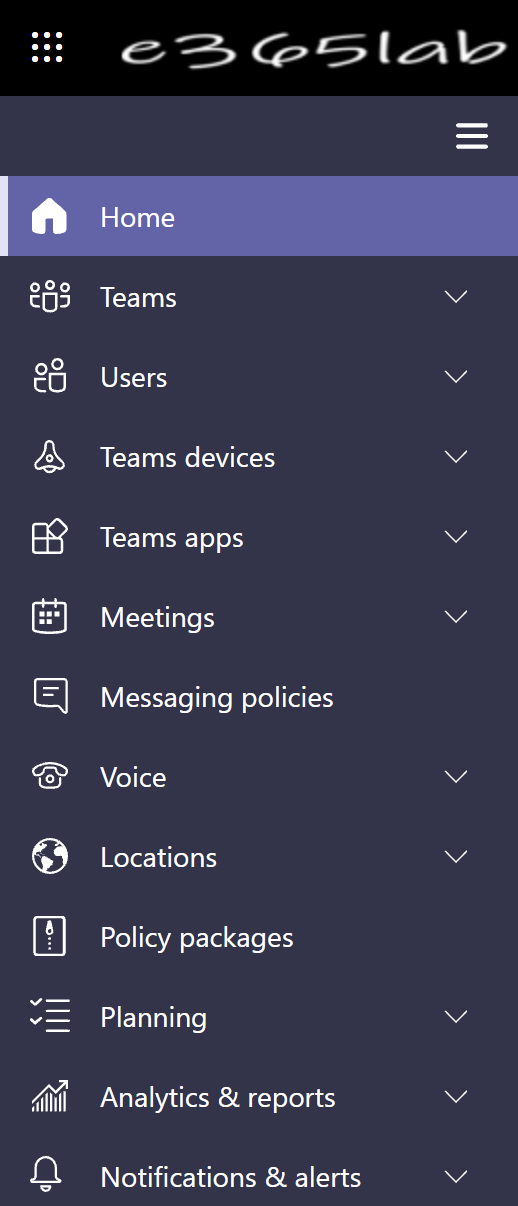
The org-wide settings in the navigation list vanished and elements were placed in the fitting spaces.
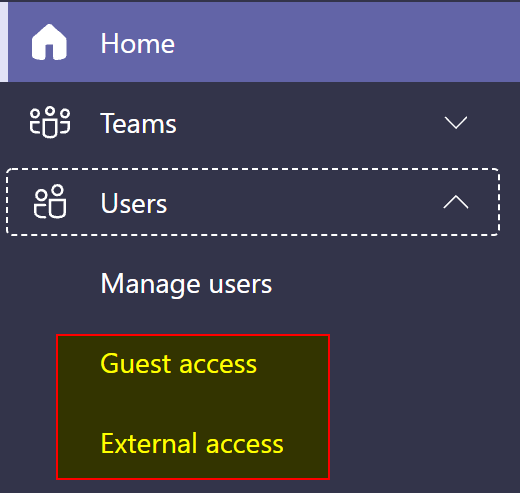
Now, the user space can be expanded to manage users, guest and external access settings.
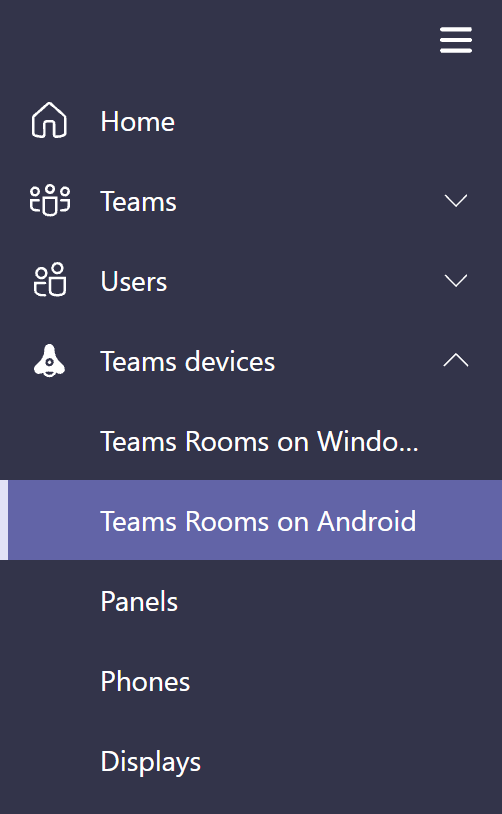
We now got a different Teams device space. Containing Team Rooms on Windows, Team Rooms on Android, Panels, Phones and Displays.
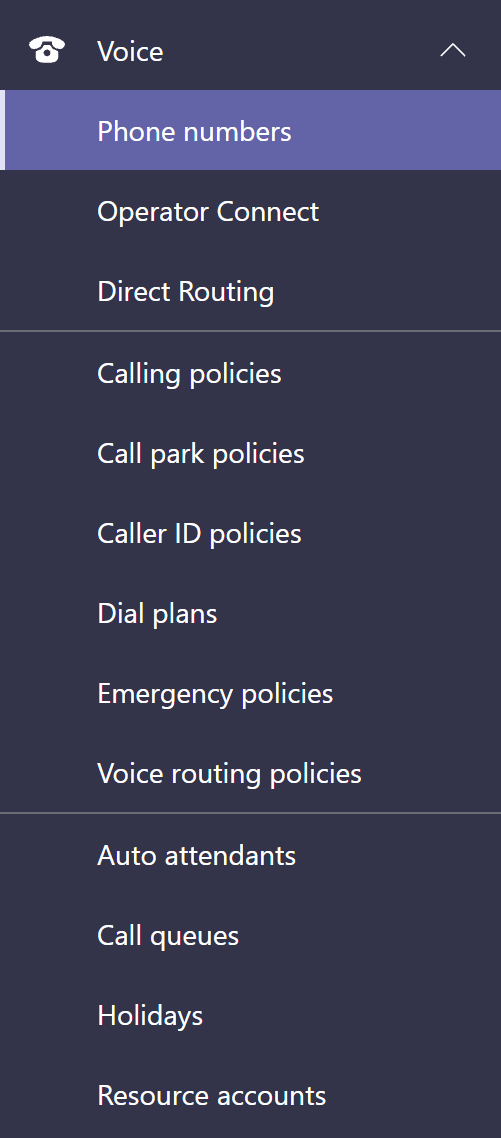
In the Voice space we now have everything we need in one space after expanding it: Phone numbers, Operator Connect, Direct Routing, Calling policies, Call park policies, Caller ID policies, Dial plans, Emergency policies, Voice Routing policies, Auto Attendants, Call Queues, Holidays and Resource accounts.
Conclusion, opinion and summary
To me this is a fantastic update to the TAC because it makes administration a more comfortable, it now well-arranged and the most important aspect, at least to me, is that the speed increases if you switch from configuration space to configuration space.







 erik365.blog
Comment / Kommentar verfassen