
This blog post describes how you can enable your Microsoft Teams users in a Microsoft 365 tenant to chat with personal Teams users. A personal Teams user is a consumer account and no professional account, e.g. anpersonalteamsuseraccount@outlook.com.

A recent Microsoft 365 message center notification MC296208 announced the general availability (GA) of Chat with users with Teams personal accounts.
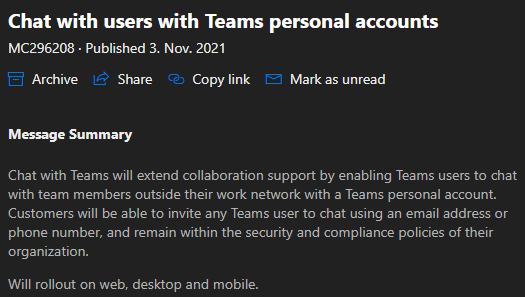
The Microsoft 365 roadmap was also updated accordingly.

How to enable Teams Chat with Teams personal accounts?
To enable or disable Teams Chat with Teams personal accounts you have two options, either you use the Teams Admin Center (TAC) or PowerShell. By default it is turned off.
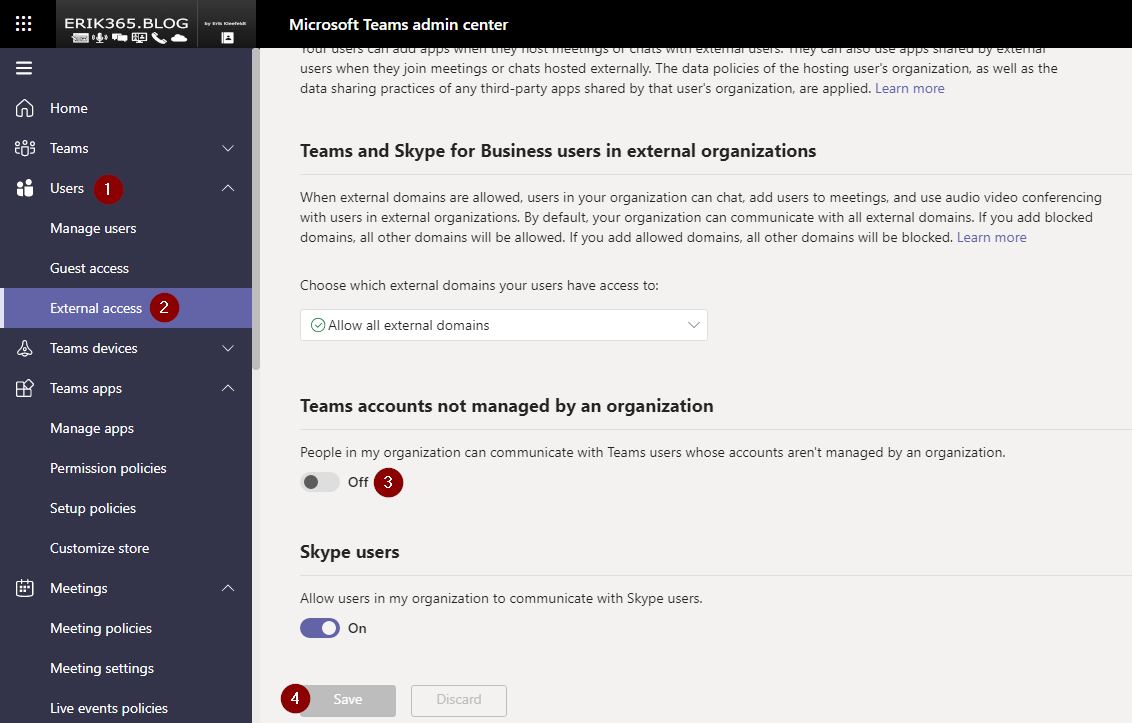
- Open the Teams Admin Center https://admin.teams.microsoft.com
- Go to Users and external access
- Enable/disable People in my organization can communicate with Teams users whose accounts aren’t managed by an organization.
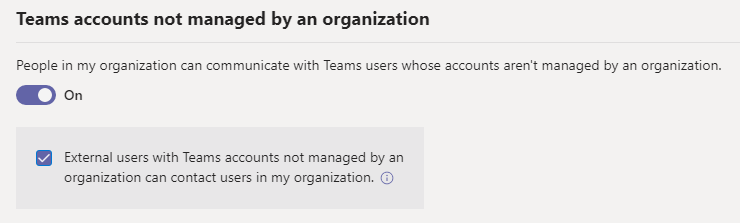
- After switching to On you’ll get a further information on the impact of this change
- Hit save to apply the change for your Teams organization
How to enable Teams Chat with Teams personal accounts with PowerShell?
The Teams Module for PowerShell needs to be installed before. The below script and cmdlets are an example and if you use it, you use it on your own risk.
#Enable/disable Teams chat with Teams personal accounts
#Erik Kleefeldt
#Example code and cmdlets. Use on own risk.

#Load and connect
Import-Module MicrosoftTeams
Connect-MicrosoftTeams

#Review on tenant level
Get-CsTenantFederationConfiguration
#Configure on tenant level
Set-CsTenantFederationConfiguration -AllowTeamsConsumer $true -AllowTeamsConsumerInbound $true

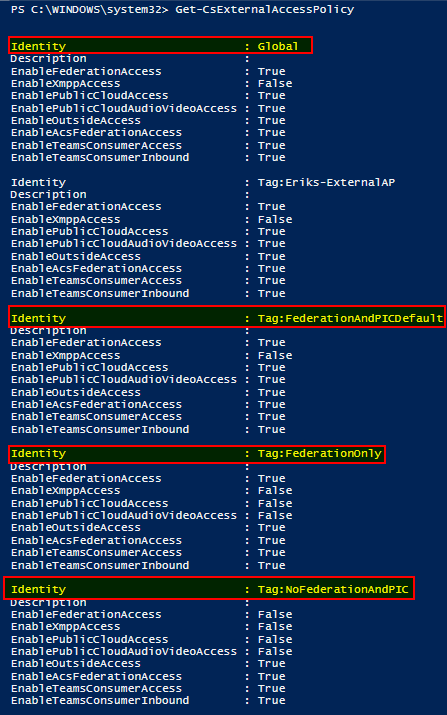
#Review on user level (not visible in TAC)
#There were four policies available by default
Get-CsExternalAccessPolicy

#ASSIGN DEFAULT POLICY (e.g. Tag:FederationAndPICDefault,Tag:FederationOnly, Tag:NoFederationAndPIC)
Grant-CsExternalAccessPolicy -Identity username@domain.com -PolicyName "FederationAndPICDefault"

#CUSTOM POLICY
#Configure on custom user level policy (not visible in TAC)
New-CsExternalAccessPolicy -Identity "Eriks-ExternalAP"
Set-CsExternalAccessPolicy -Identity "Eriks-ExternalAP" -EnableTeamsConsumerAccess $true
#Assign external access policy to user/s
Grant-CsExternalAccessPolicy -Identity username@domain.com -PolicyName "Eriks-ExternalAP"

#Disconnect
Disconnect-MicrosoftTeams
Overview of external access policies by default, only visible via Teams PowerShell.







 erik365.blog
Comment / Kommentar verfassen