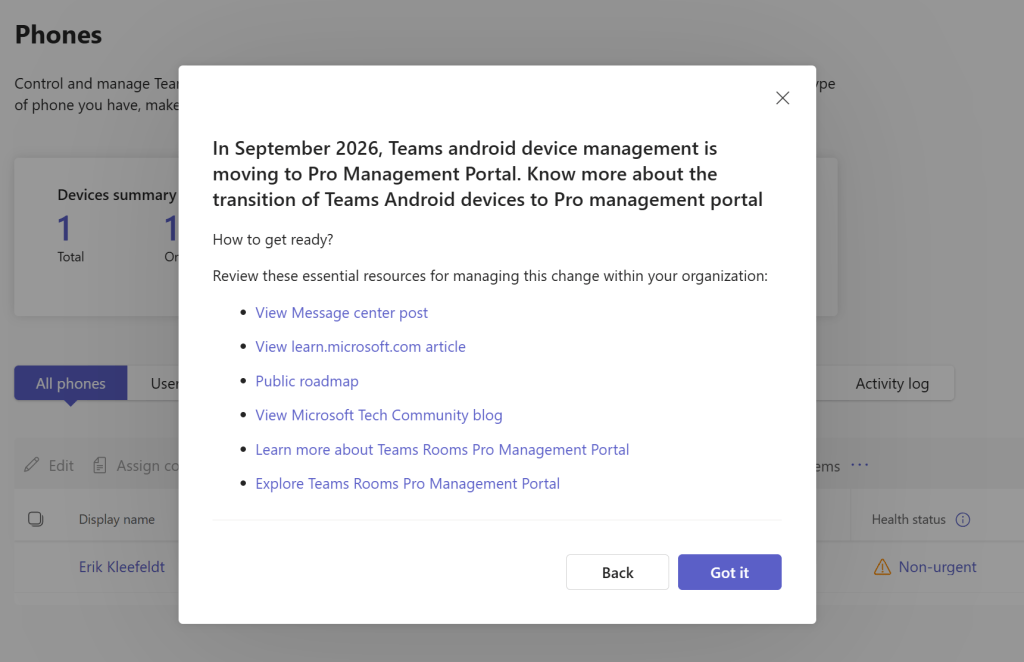
In this post I like to remind Teams Phone Admins with Teams Phone devices that they must be transitioned to use the Teams Pro Management Portal (PMP) because device management gets aligned and consolidated into one admin center, the PMP. Probably and hopefully this is old news and you completed this?
This was announced long time ago but still important to complete task and monitor the status if not done yet.
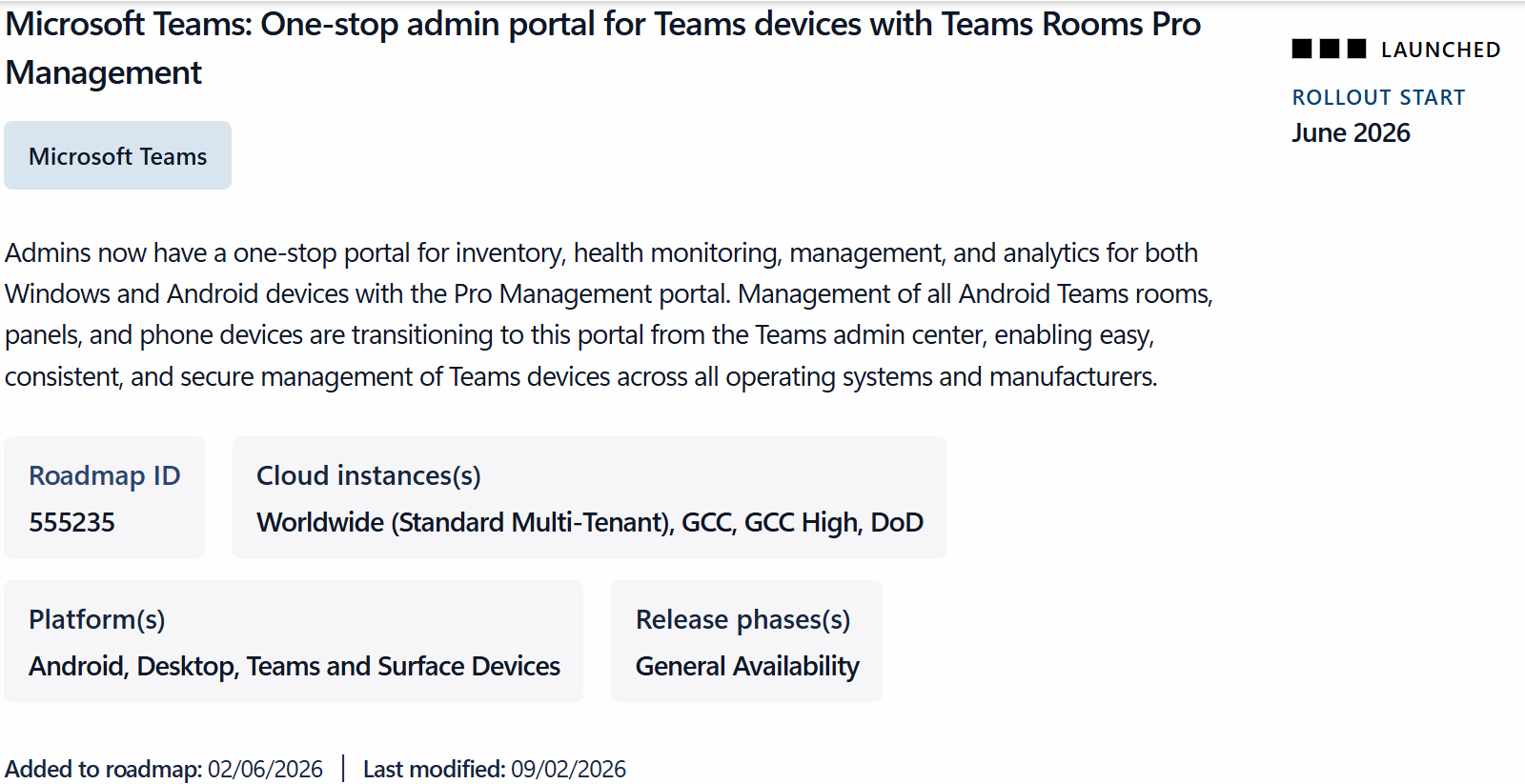
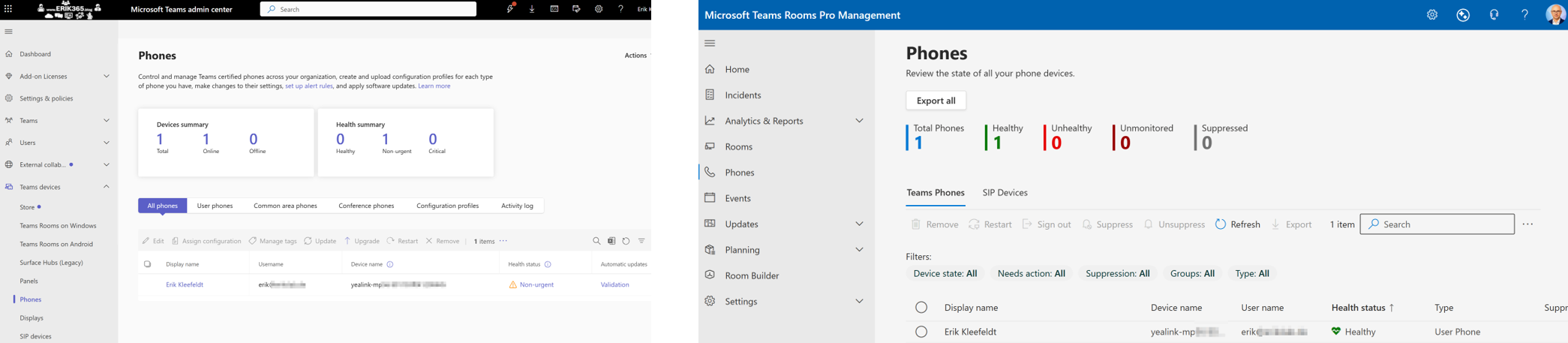
In case you have Teams Phones this is for you! First of all, you need to ensure that all your Teams devices are in the Teams Rooms Pro Management Portal (PMP). This is basically achieved if the devices can reach the portal and have the most recent updates installed on it.
So the same device/s should be visible in both as long as it not switched over to the PMP. If this is not the case something might be wrong and needs further investigations and troubleshooting.
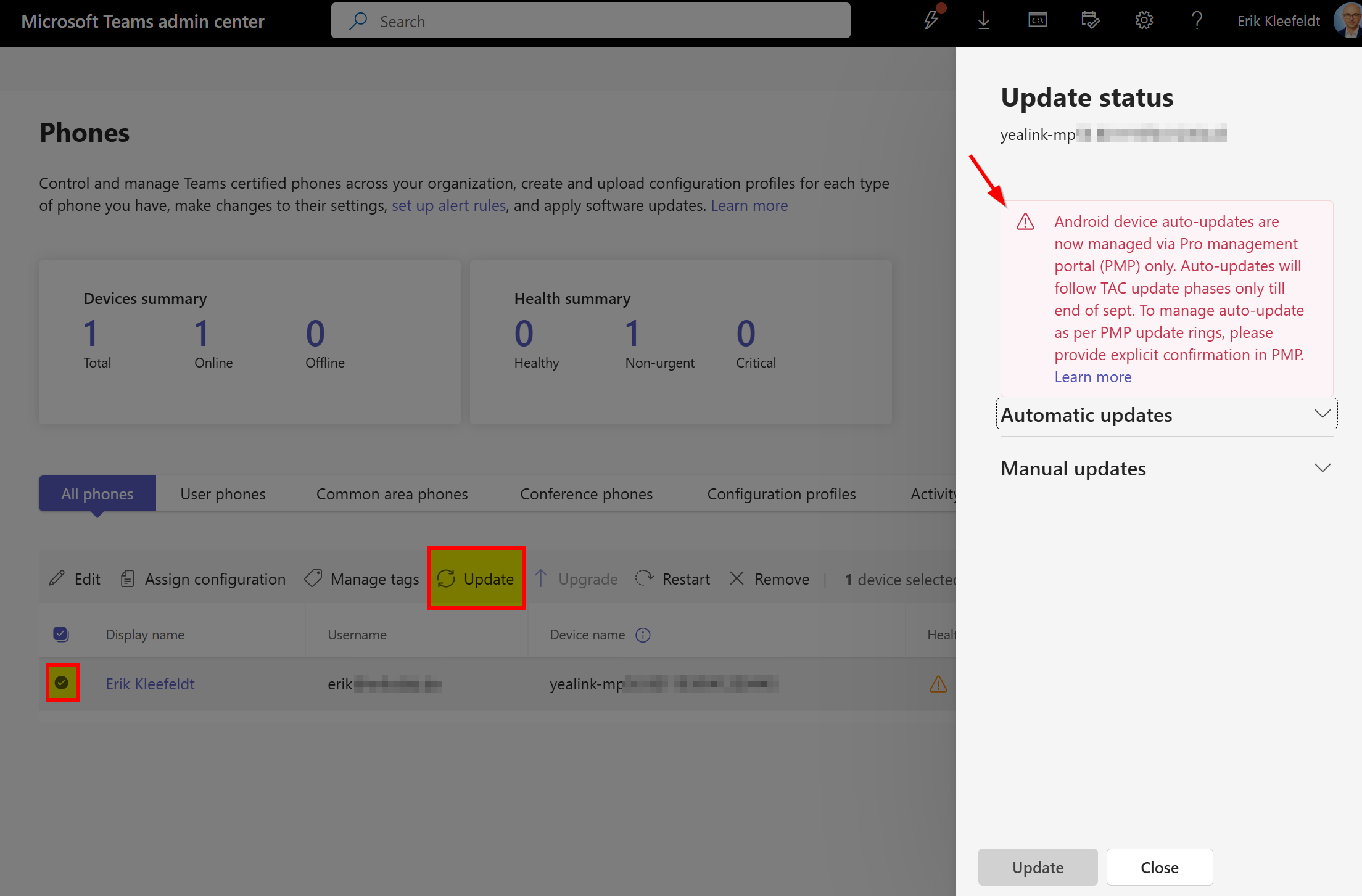
If you want to update a Teams Phone device using PMP it might show you this:
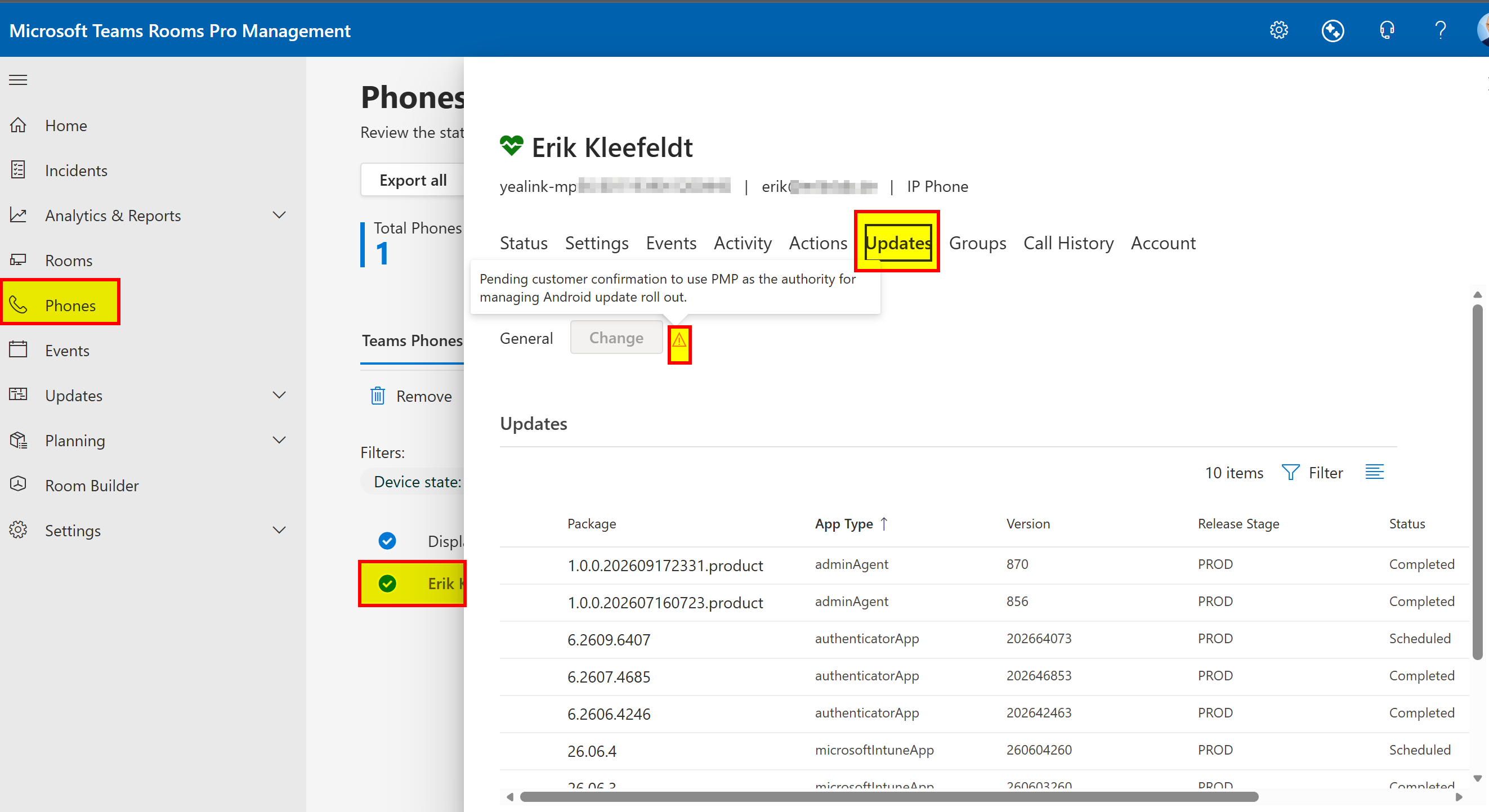
This means that PMP cannot yet keep your devices up-to-date because this is still controlled via TAC. So you need to change this but be careful and ensure that really all the device you got are in PMP otherwise you need to figure out why not all devices are registered in PMP and fix this first.
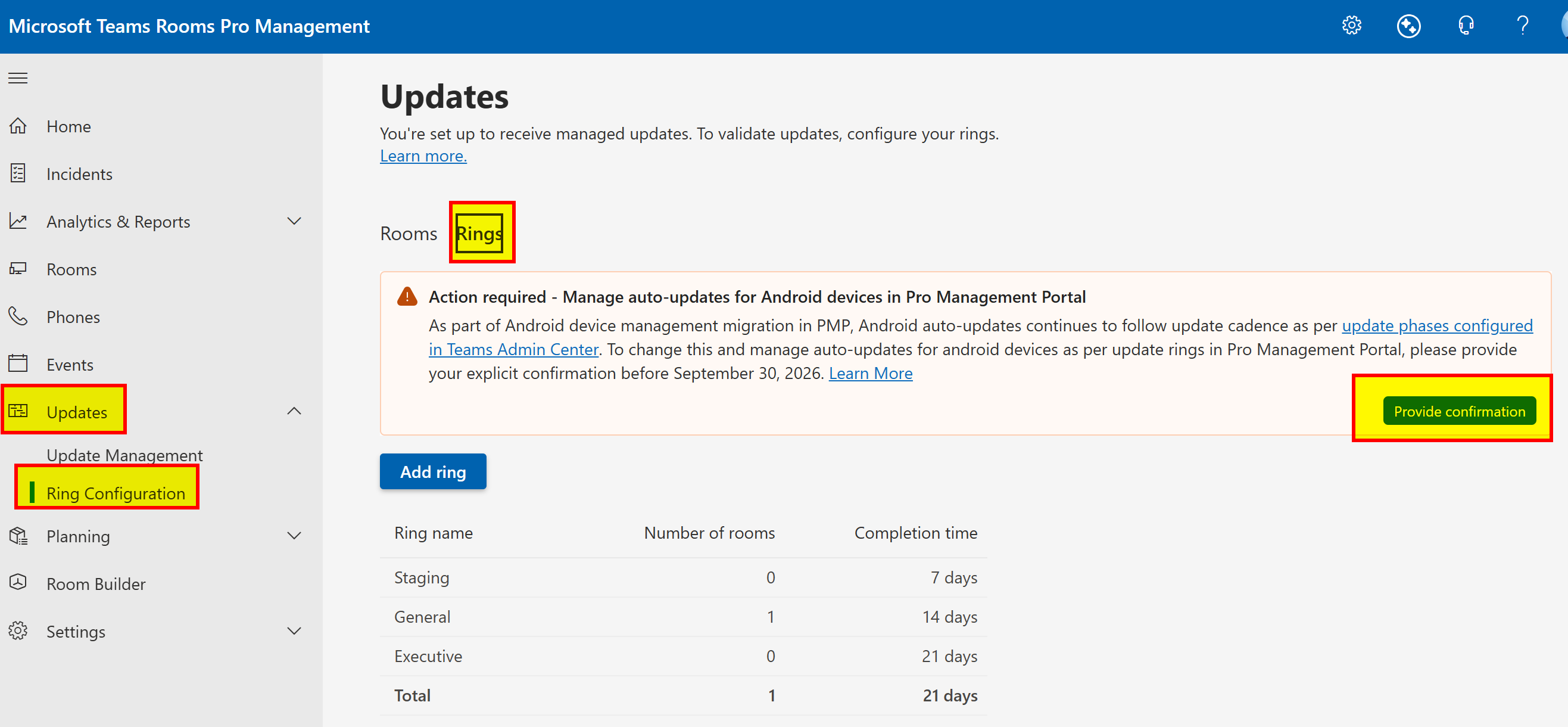
Based on the above notes, actually the confirmation to switch the update management to PMP should have been confirmed by end of September, 2026. That what I did not do, intentionally, to see what happens in my lab. But now I like to confirm it to keep my demo device updated via PMP instead of TAC. As it seems that I still cannot update the Teams Phone via PMP.
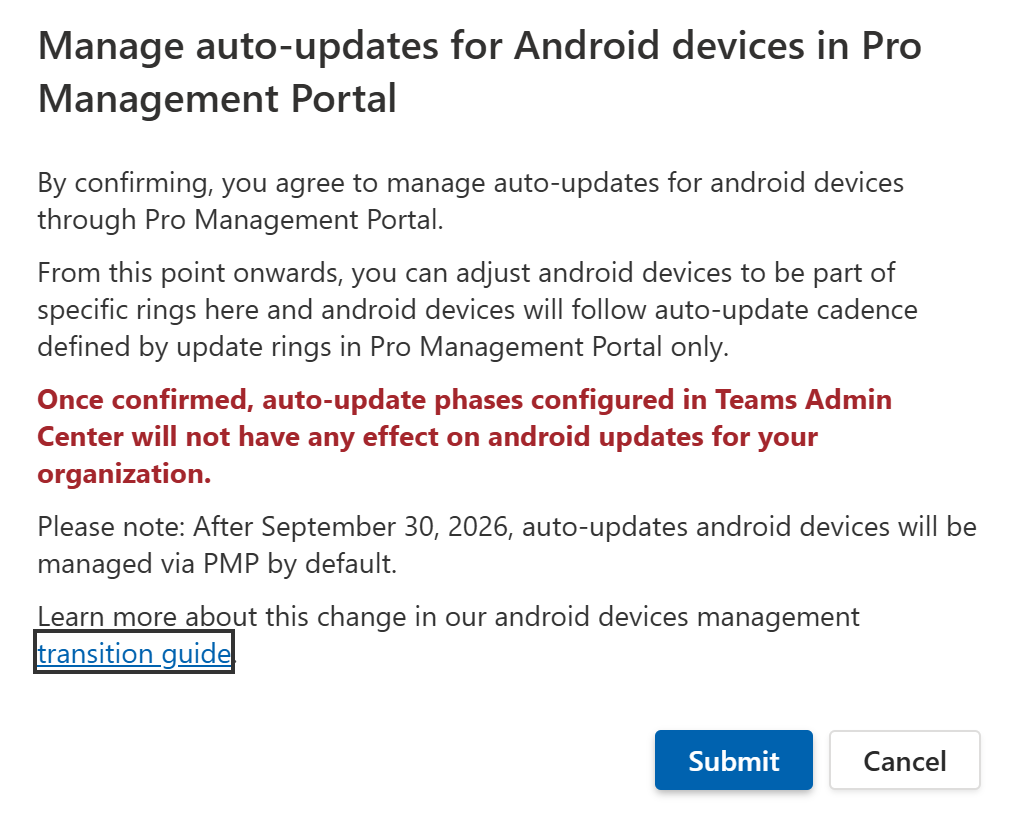
After confirming the transition the textbox changes it appearance and color to light green.
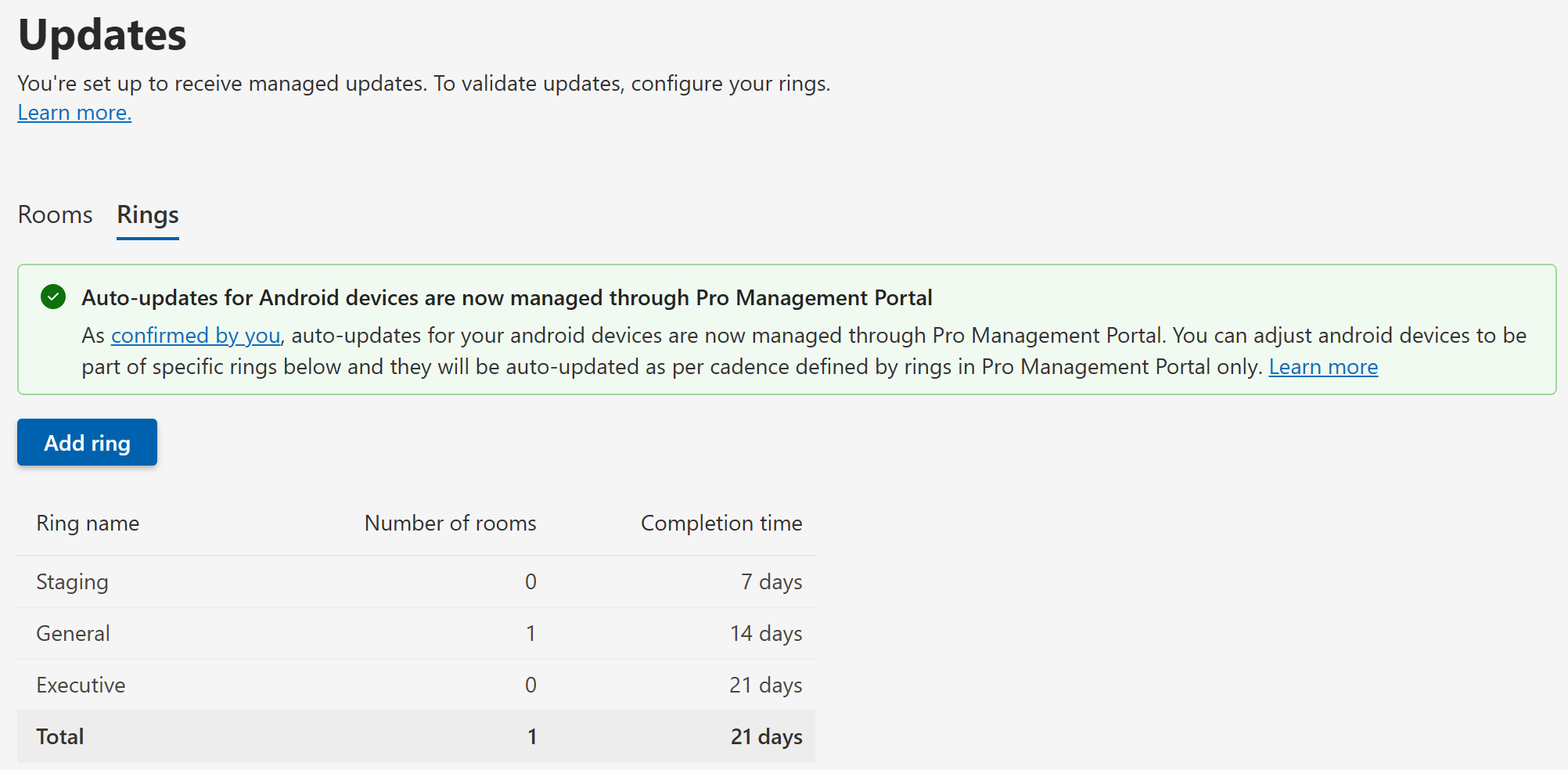
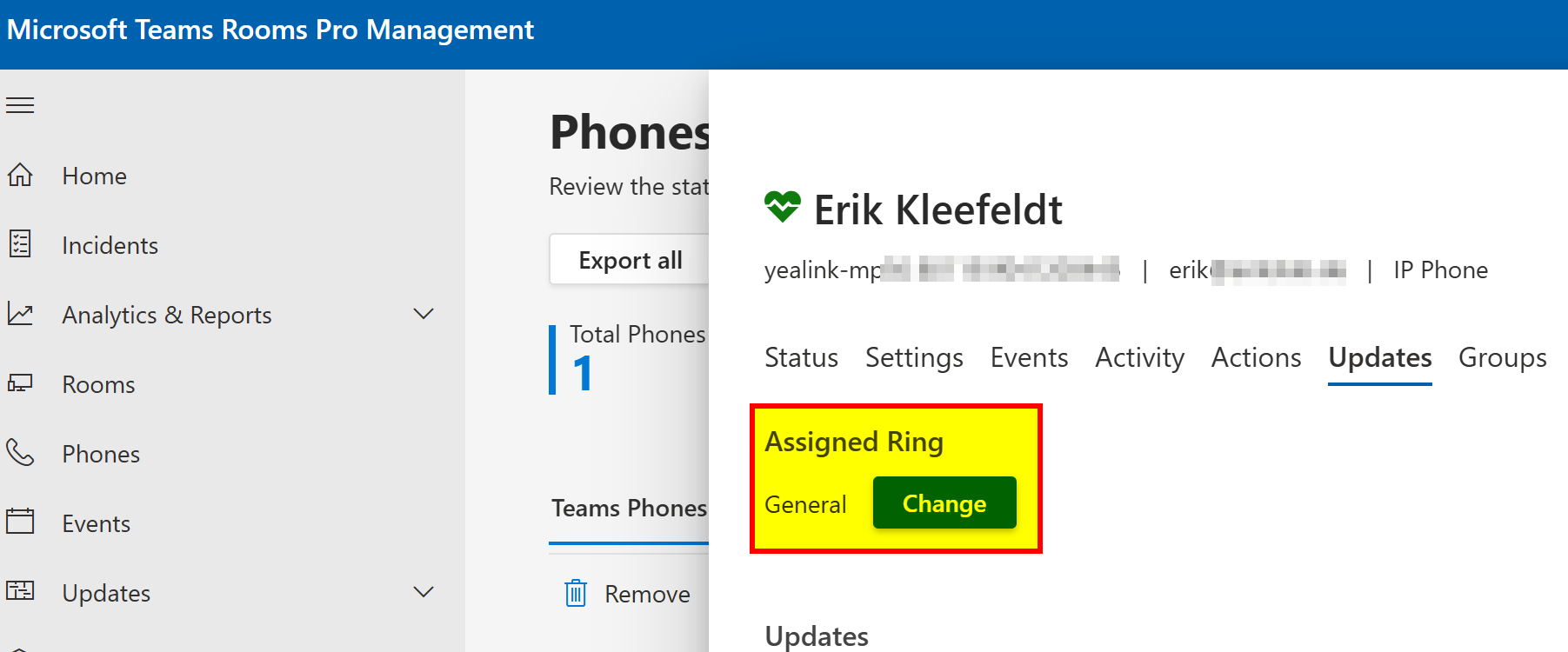
After this change the update rings can be adjusted if required for the Teams Phone in PMP.
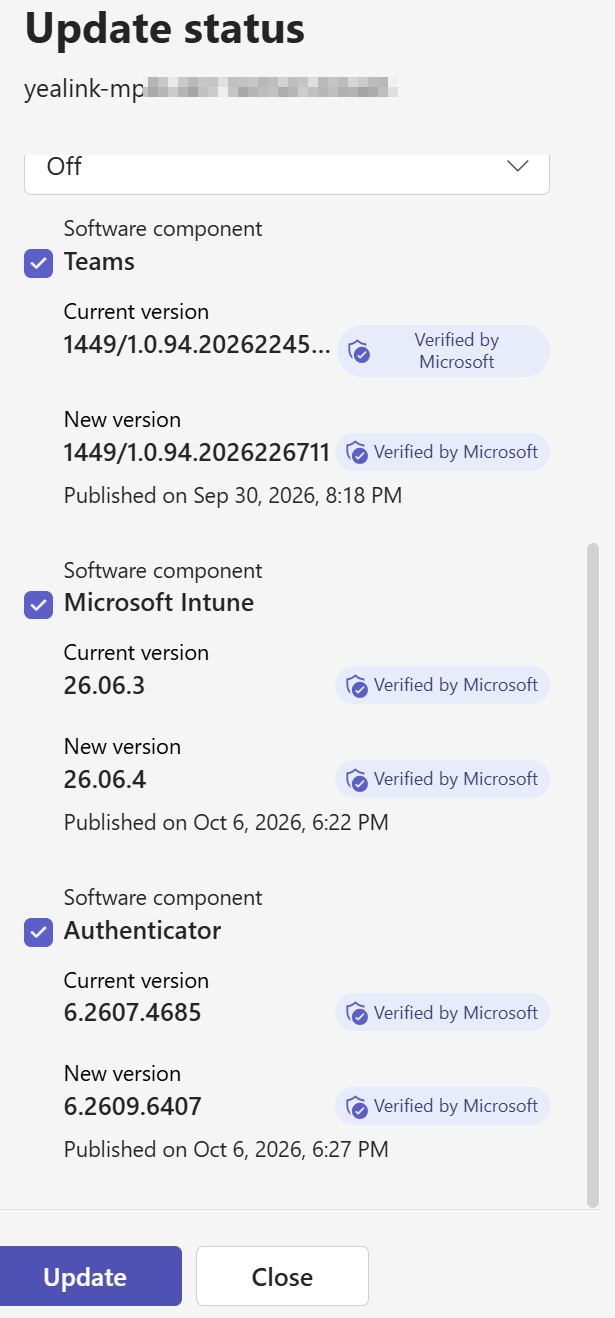
Going back to the Teams Admin Center, trying to update a Teams Phone looks like this in my lab.
Expanding the section with manual updates is still allowing updates to be checked and I’m able to select and click these. But I would not do this anymore in production enviroments instead stick with the PMP from now on.

Resources
- Transitioning Teams Android Device Management from Teams Admin Center to the Teams Rooms Pro Management Portal – Microsoft Teams | Microsoft Learn
- AI at Work Roadmap | Microsoft 365 roadmap item 555235
- Microsoft Teams Rooms: Platform choice delivers flexibility for your spaces | Microsoft Community Hub






Comment / Kommentar verfassen