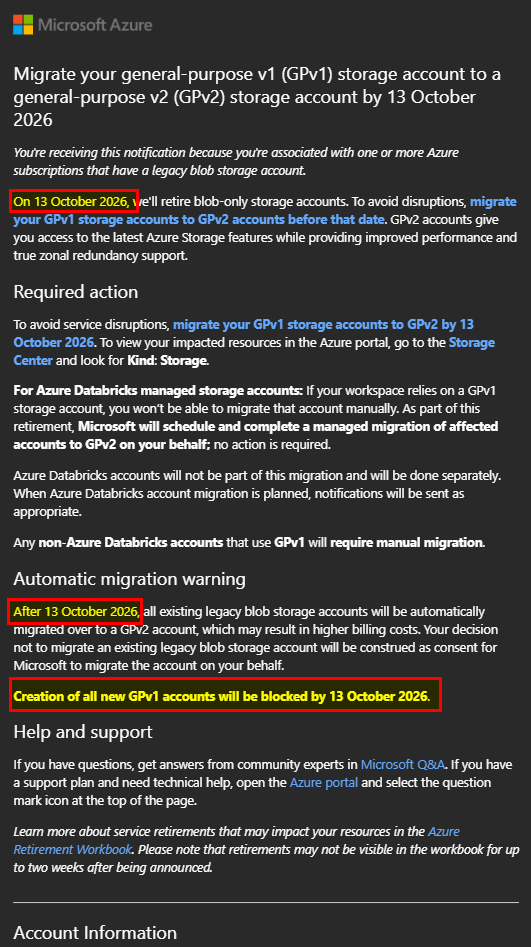
Microsoft has announced the retirement of legacy general-purpose v1 (GPv1) storage accounts, requiring customers to migrate to general-purpose v2 (GPv2) by October 13, 2026.
While this may sound like a simple backend change, some environments still rely on older deployments including virtual machines and network appliances that were originally provisioned years ago.
In my case, I recently revisited an older Azure deployment running an AudioCodes Mediant VE Session Border Controller (SBC) for Microsoft Teams Direct Routing. The SBC was still backed by a legacy GPv1 storage account, making it a perfect candidate to walk through the migration process.
Table of Contents
- Initial Situation
- Important Clarification: Does This Affect the SBC?
- Why You Should Migrate?
- Performing the Upgrade (GPv1 to GPv2)
- Observations from my migration
- Things to Watch Out For
- Conclusion,opinion and summary
- Resources
Initial Situation
The environment was fairly typical for earlier Azure-based SBC deployments:
- Virtual Machine: AudioCodes Mediant VE SBC
- Purpose: Microsoft Teams Direct Routing
- Deployment age: Several years old
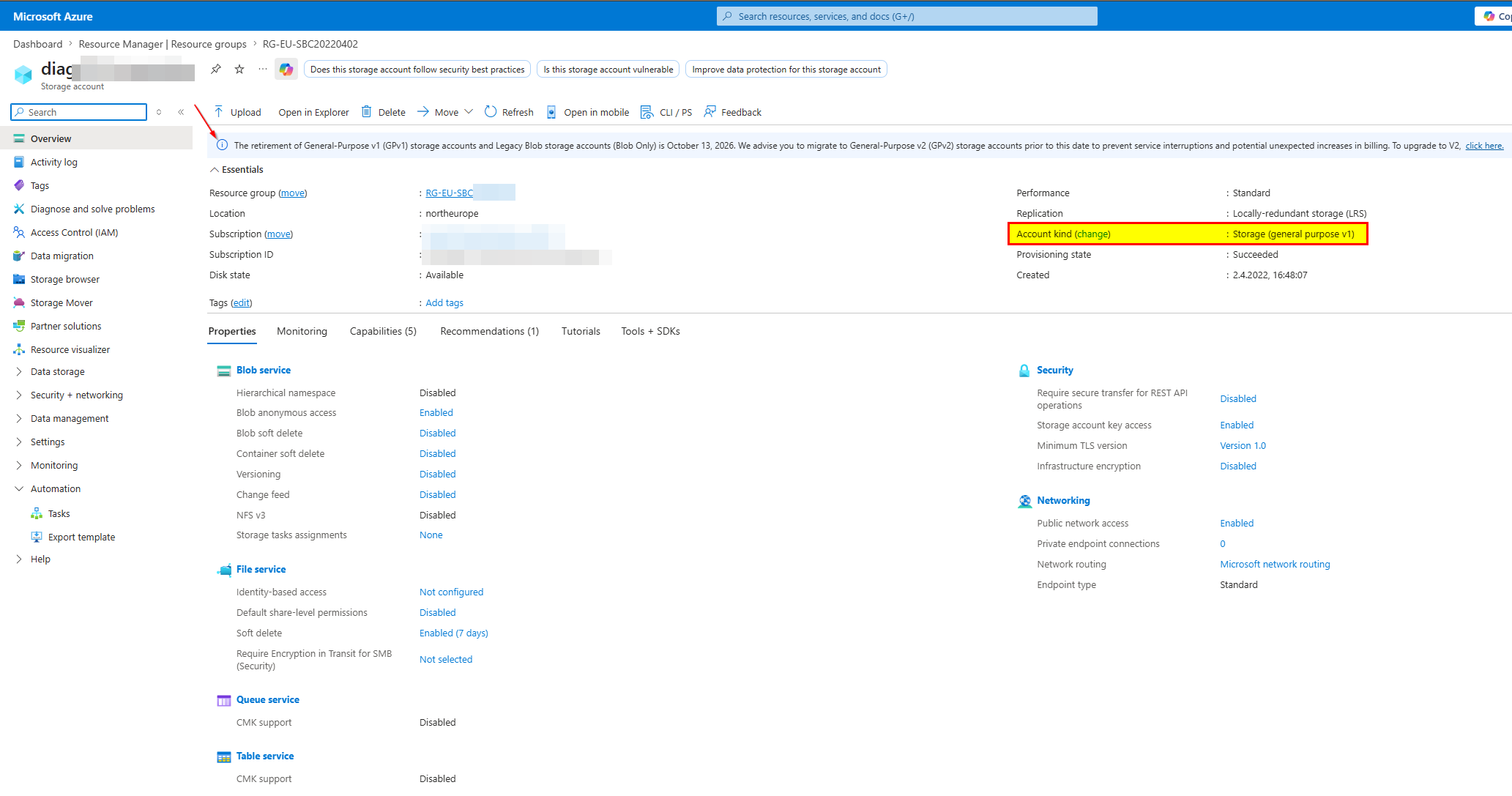
- Storage Account Type: GPv1 (legacy)
- VM Disk Type: Managed Disks
At the time of deployment, GPv1 was standard and widely used. However, with Microsoft now retiring GPv1 storage accounts, action is required to avoid future disruptions.
Important Clarification: Does This Affect the SBC?
Before performing the migration, one key question arises:
Will changing the storage account impact the running SBC or the VM itself?
Short answer: No (in most cases)
Here’s why:
- Azure VMs use Managed Disks, which are independent of the storage account type
- The storage account is typically only used for:
- Boot diagnostics
- Logging
- Optional file storage
So, this means:
- The SBC runtime is not directly affected
- There is no need to redeploy the VM
- The migration is generally low-risk
Why You Should Migrate?
Microsoft clearly states that:
- GPv1 accounts will be retired on October 13, 2026
- Existing accounts will be automatically migrated if no action is taken
- GPv2 provides:
- Access to new Azure Storage features
- Improved performance
- Support for zonal redundancy (ZRS)
From a consulting perspective: In my opinion, it’s better to migrate proactively rather than rely on automatic changes.
Performing the Upgrade (GPv1 to GPv2)
The migration itself is straightforward and easy.
Step 1: Open the Storage Account
Navigate to:
- Azure Portal
- Storage Accounts
- Your GPv1 Account
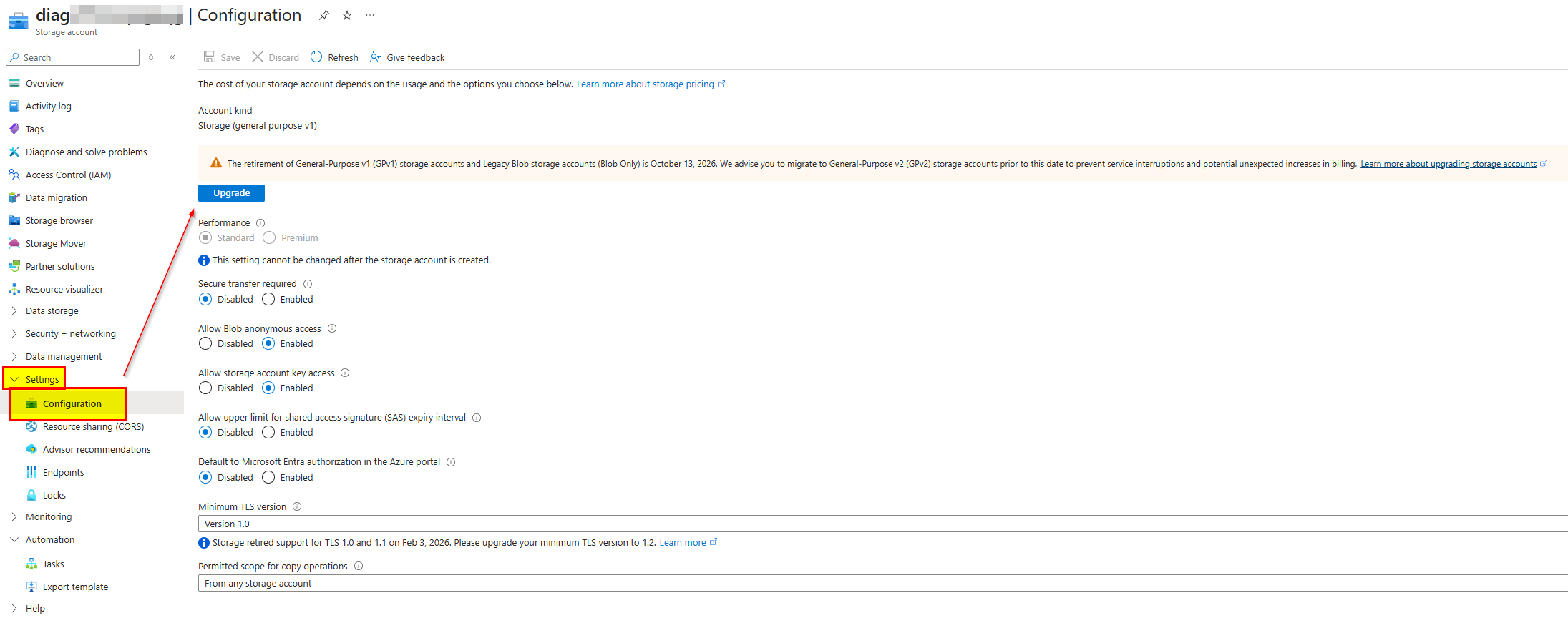
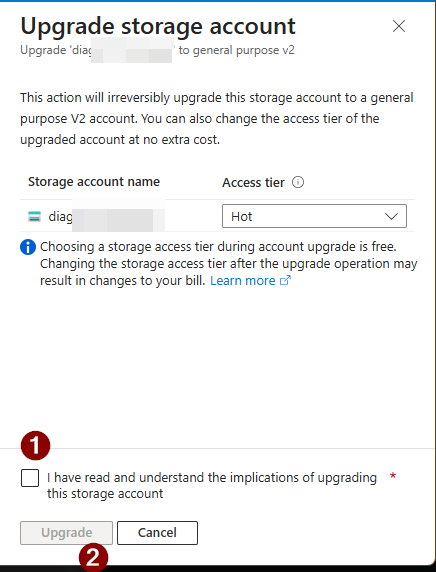
Step 2: Upgrade Configuration
In the Configuration section, you’ll find the option to upgrade the account type.
- Change from: General-purpose v1 to General-purpose v2
Step 3: Confirm the Upgrade
- Review the changes
- Confirm the upgrade
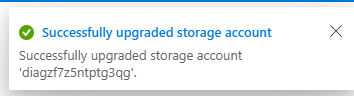
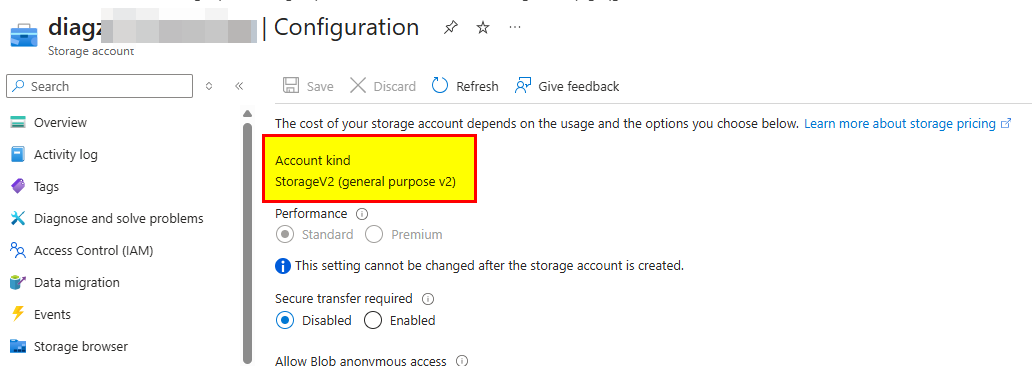
Step 4: Validate the Result
After a few moments:
- Storage account type shows GPv2
- No interruption to the VM or SBC as far as I could see
Observations from my migration
From my test with the AudioCodes SBC:
- ✅ No downtime observed: The SBC continued running without any interruption.
- ✅ No impact on voice services: Active calls and signaling were unaffected.
- ✅ No reconfiguration required: All existing settings (diagnostics, logging) remained intact.
Things to Watch Out For
Even though the migration is simple, there are a few considerations:
- ⚠️ Pricing changes
- GPv2 uses a different pricing model (e.g., access tiers)
- Costs may slightly increase depending on usage
- ⚠️ Access Tier settings
- New options like Hot / Cool / Archive
- Review defaults after migration
- ⚠️ Legacy integrations
- Rare, but older scripts or tools may assume GPv1 behavior
Conclusion,opinion and summary
Migrating from GPv1 to GPv2 is:
- ✅ Simple
- ✅ Low risk
- ✅ Required by Microsoft
For workloads like an AudioCodes Mediant VE SBC on Azure, the impact is minimal because the VM itself is not directly tied to the storage account.
The key takeaway:
Even in legacy deployments, this migration can typically be done without downtime or service impact.
If you are managing older Azure environments especially in Teams Direct Routing scenarios it’s worth reviewing:
- Storage account types
- Public IP SKUs
- Load balancer configurations
Many of these legacy components are now being phased out, and proactive upgrades help avoid last-minute pressure.



 erik365.blog
Comment / Kommentar verfassen