
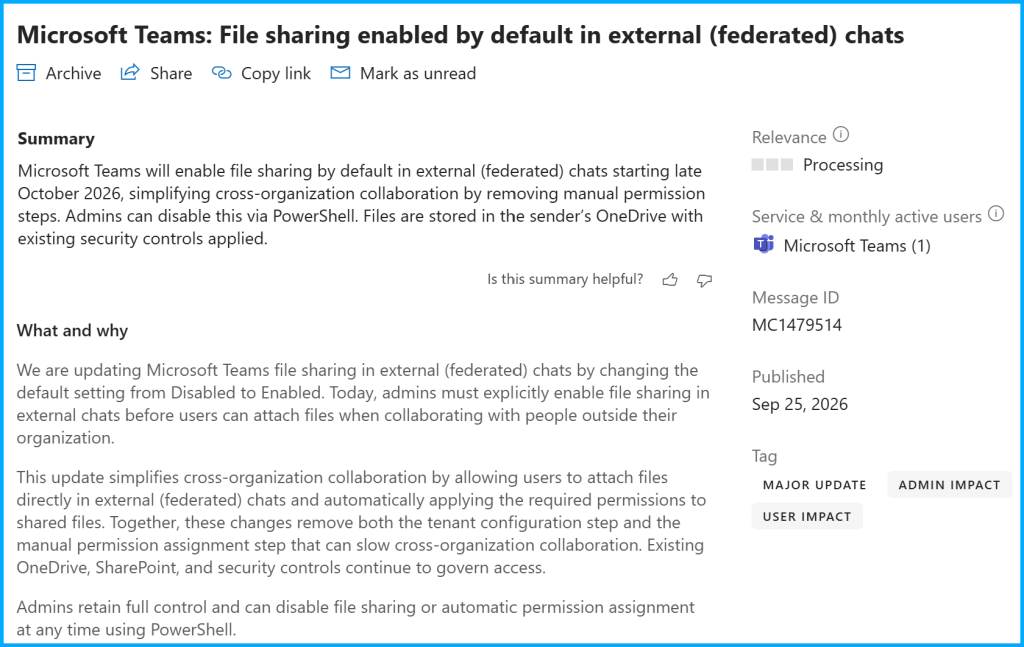
A small but impactful change is coming to Microsoft Teams. Microsoft will enable file sharing in federated chats by default, making external collaboration more seamless while maintaining existing security controls. This is making cross-tenant collaboration in Microsoft Teams easier. Starting later this year, file sharing in external (I also like to say federated) chats will be enabled by default across Microsoft 365 tenants.
Until now, administrators had to explicitly enable this feature before users could attach files in chats with external organizations. With the upcoming change, users will be able to share files directly in federated chats without additional tenant configuration.
Source: Microsoft 365 Message Center notification MC1479514
What is changing?
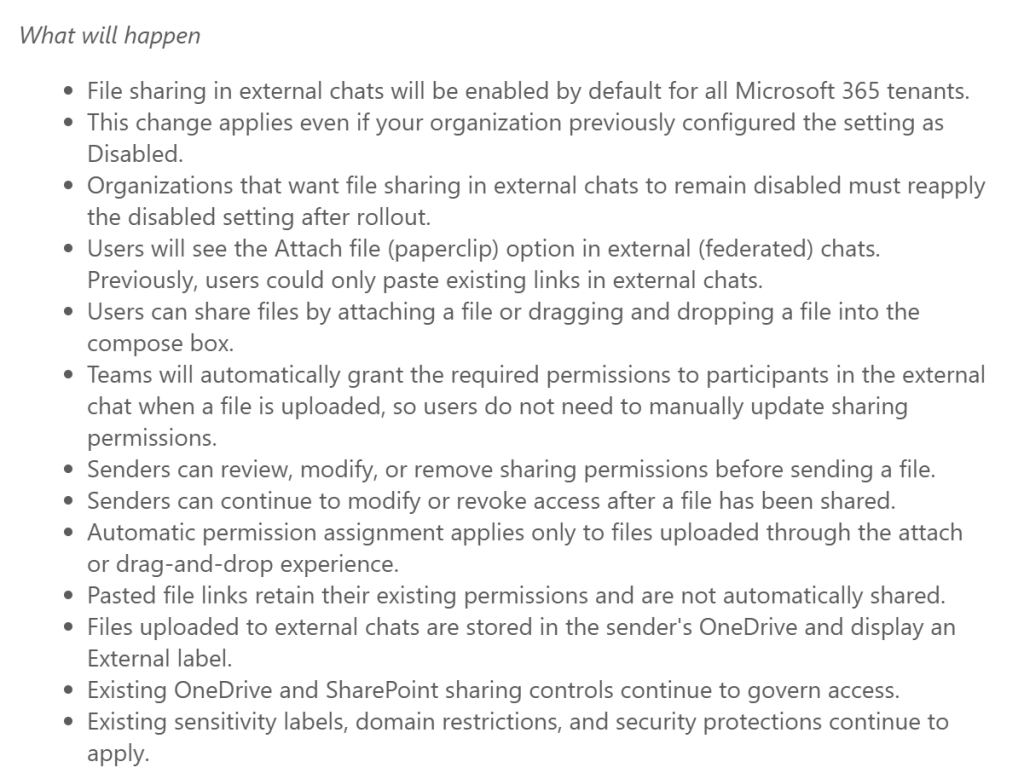
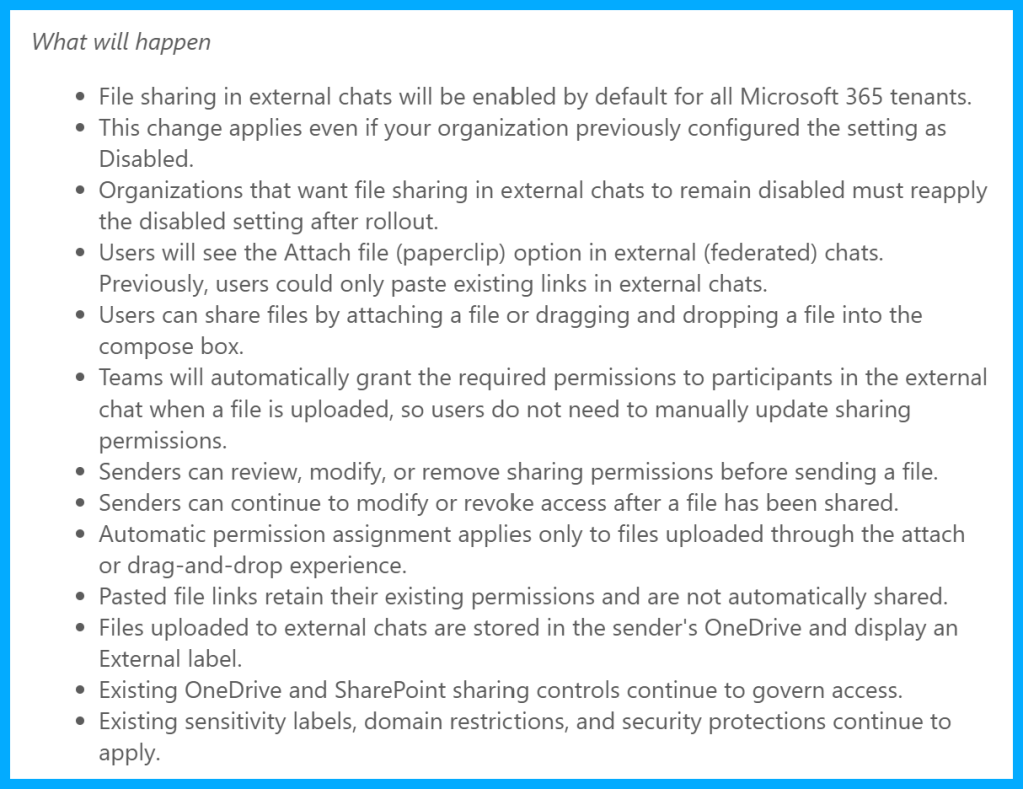
Users will be able to:
- Attach files directly in external 1:1 chats
- Share files in external group chats
- Upload files in meeting chats involving external participants
- Drag and drop files into chat conversations
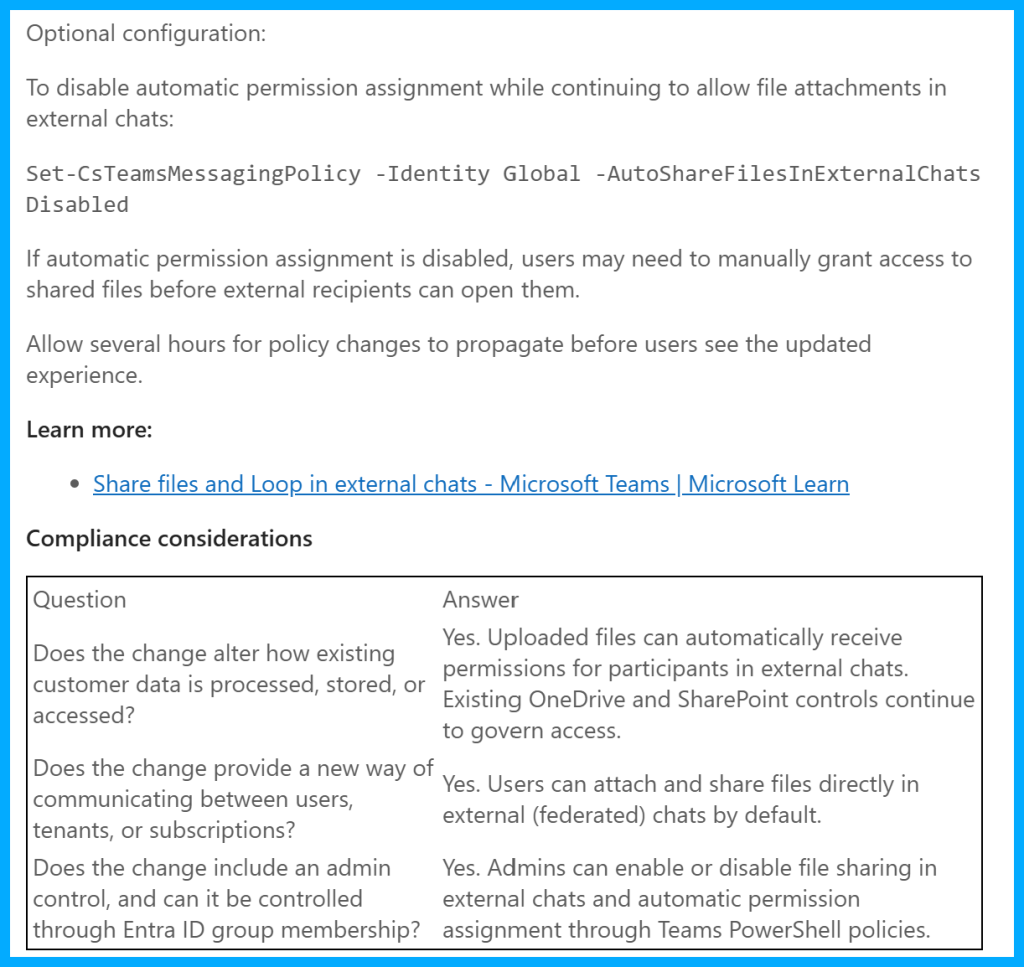
In addition, Teams will automatically assign the required permissions to external chat participants when a file is uploaded. This removes the need for users to manually adjust sharing permissions before sending a file.
Files uploaded through external chats will continue to be stored in the sender’s OneDrive, while existing SharePoint, OneDrive, and security controls remain in place.
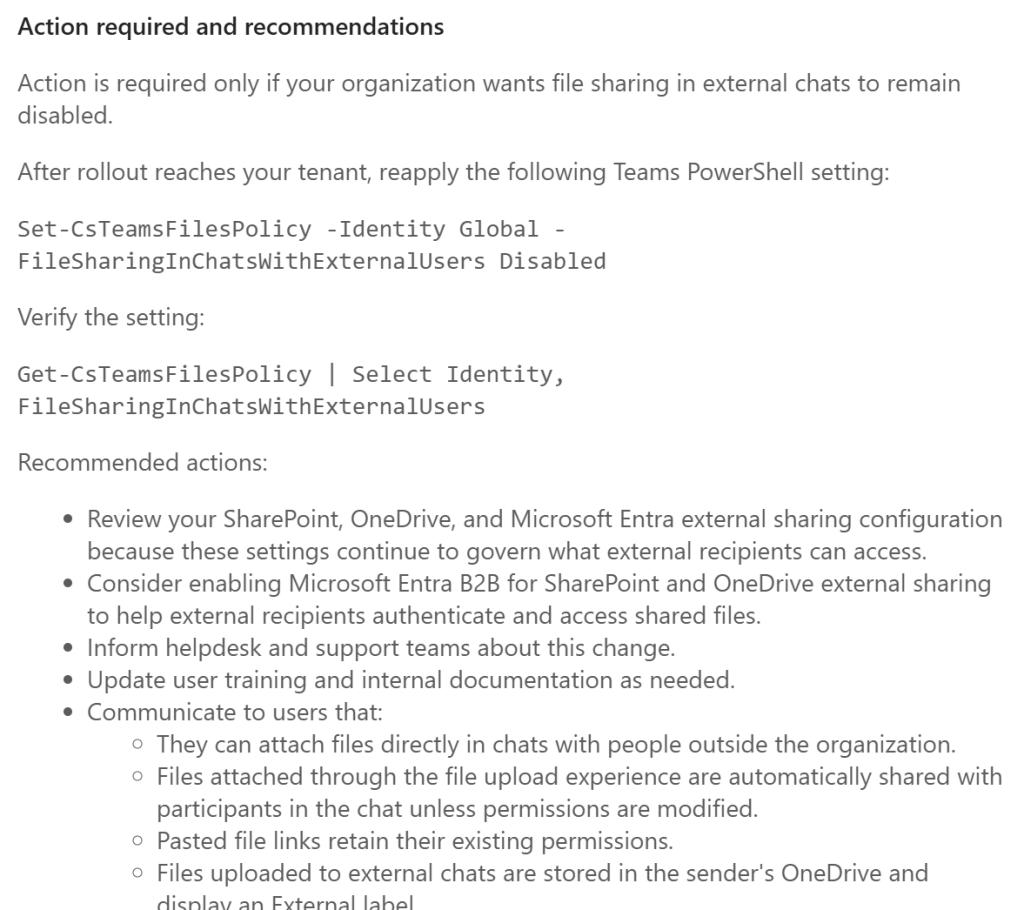
What should administrators know?
One important detail is that Microsoft will enable this functionality by default, even for tenants that previously had file sharing in external chats disabled.
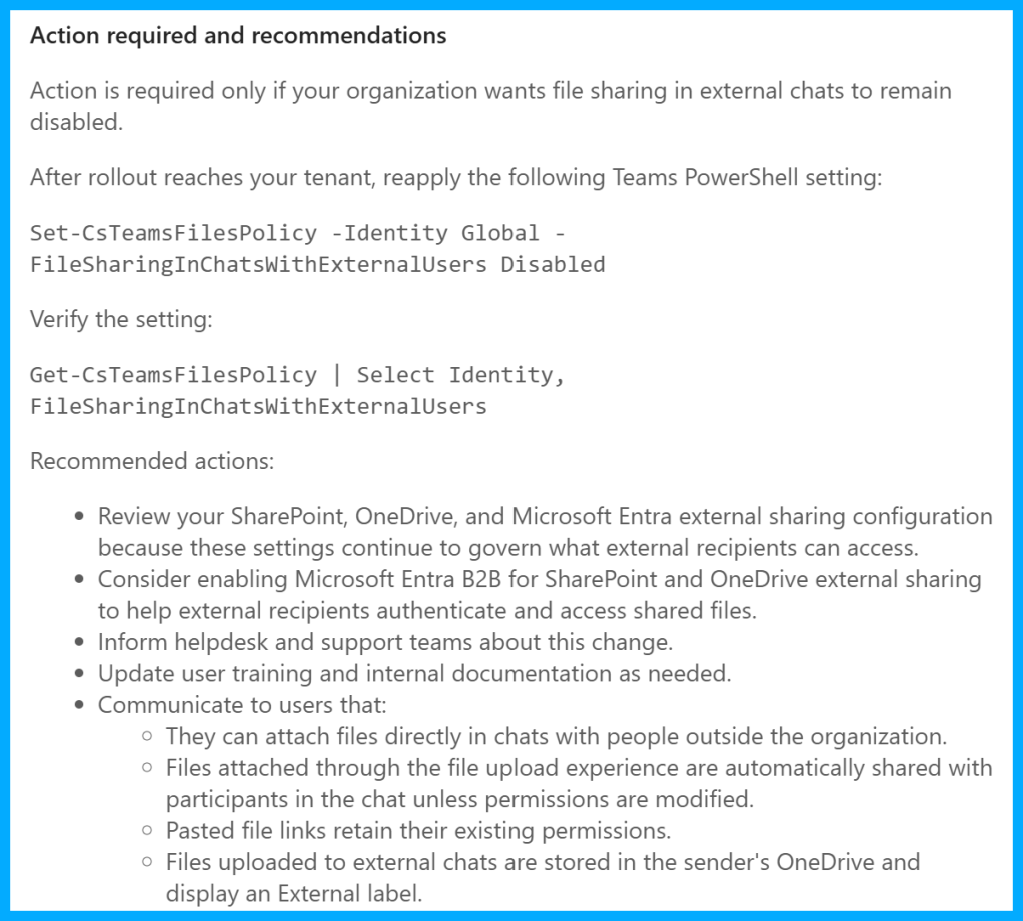
Organizations that want to keep file sharing disabled in federated chats will need to reapply the configuration after the rollout.
This is also a good opportunity to review:
- SharePoint external sharing settings
- OneDrive sharing policies
- Microsoft Entra B2B collaboration settings
- Sensitivity labels and data protection policies
These controls will continue to determine what external users can access.
For most organizations, the real prerequisite is not Teams itself, but external sharing in OneDrive and SharePoint. If for example an admin has configured the following:
SharePoint/OneDrive external sharing = Only existing guests
then users will still be unable to successfully share files with federated users. So SharePoint and OneDrive must be configured to allow this to make it work.
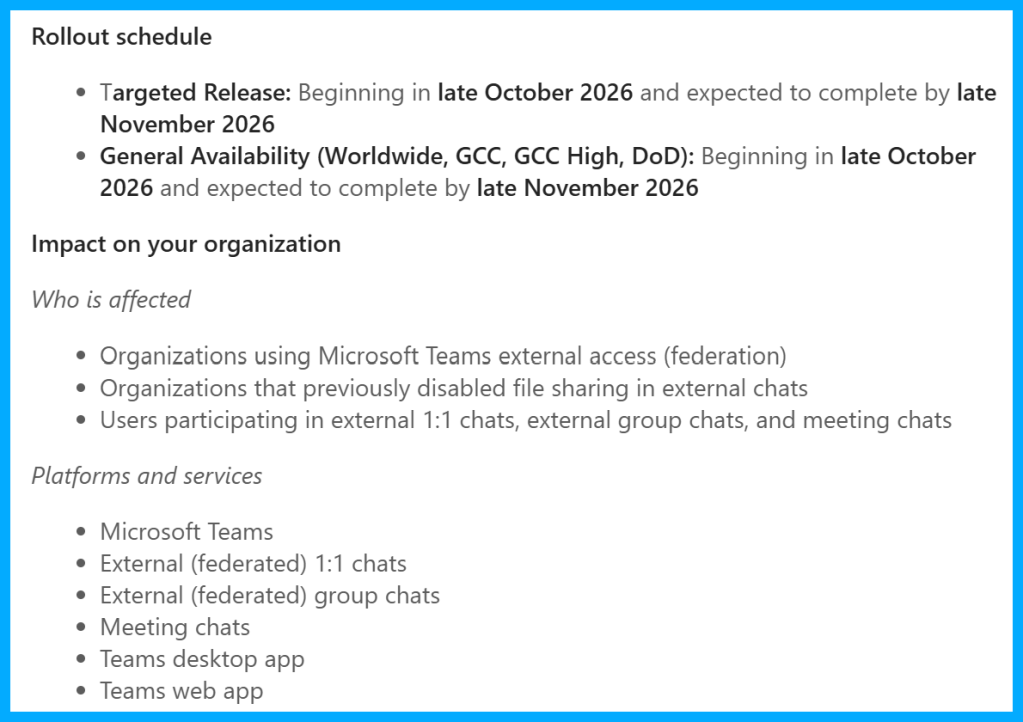
Rollout timeline
The targeted release is expected between late October and late November 2026. General availability will follow during the same timeframe. The rollout will be worldwide and include GCC, GCC High, and DoD environments. Please note that this can be subject to change at any time.
Conclusion, opinion and summary
This update removes another friction point in cross-organization collaboration. The ability to simply attach a file in a federated chat is something many users already expect from modern collaboration tools, since years.
For most organizations, this change will improve the user experience significantly if they have not turned it on previously. However, administrators should review their external sharing strategy before the rollout to ensure that existing governance and security requirements are still aligned with the new default behavior.







Comment / Kommentar verfassen