
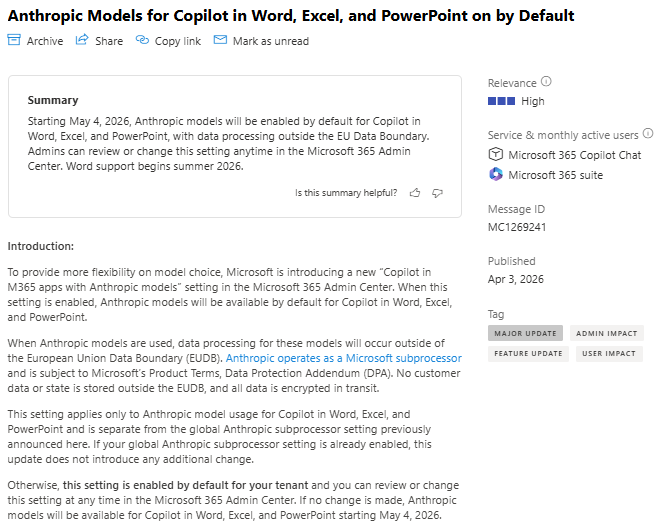
Also very noteworthy to pay attention to new LLMs in Microsoft 365 Apps with Copilot. Also a fresh catch, telling that Anthropic Models for the apps are on by default, soon. Did you know? I did not. Microsoft message center notification MC1269241 tells the details. This change must not be mixed up with the big toggle to enable/disable Anthropic, because it is a different one.
Source: Microsoft 365 Message Center Notification MC1269241
Key Points
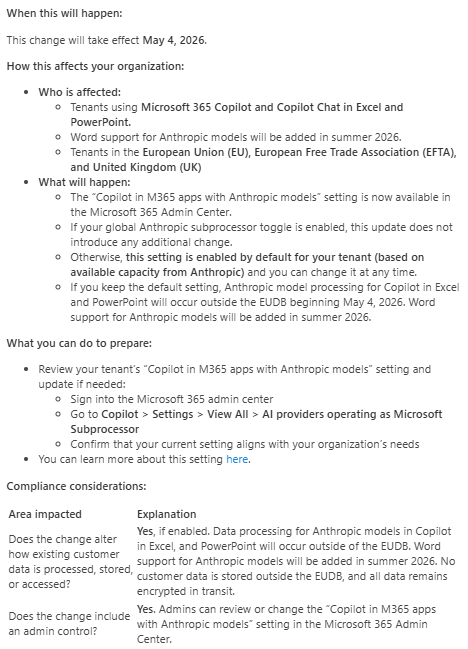
Microsoft is introducing a new “Copilot in M365 apps with Anthropic models” admin setting that makes Anthropic models available by default for Copilot in Excel and PowerPoint, with Word support arriving in summer 2026. The change takes effect May 4, 2026 and applies to tenants in the EU, EFTA, and UK.
- Default behavior: Anthropic models enabled by default for Copilot in Excel, PowerPoint, Word unless an admin changes the setting.
- Data processing location: When Anthropic models are used, processing occurs outside the EU Data Boundary.
- Data handling: Anthropic acts as a Microsoft subprocessor and is bound by Microsoft Product Terms and the Data Protection Addendum. No customer data or state is stored outside the EUDB and all data is encrypted in transit.
- Scope: This setting only affects Copilot in Word, Excel, and PowerPoint and is separate from the global Anthropic subprocessor toggle.
Who should take note and care of this change?
- IT Admins who want to keep or change the default model provider for Copilot.
- IT AI Service Owner and Security Leader managing Microsoft 365 Copilot+
- Compliance and privacy teams in EU, EFTA and UK tenants
Compliance summary
| Area impacted | Explanation |
|---|---|
| Data processing location | Processing for Anthropic models will occur outside the EUDB when enabled. |
| Data storage | No customer data or state is stored outside the EUDB. |
| Encryption | All data is encrypted in transit. |
| Admin control | Admins can review or change the Anthropic models setting in the Admin Center. |
This update aims to bring more flexibility in Copilot model choice while providing an admin control to align model usage with organizational compliance and data residency policies.
What should you do now?
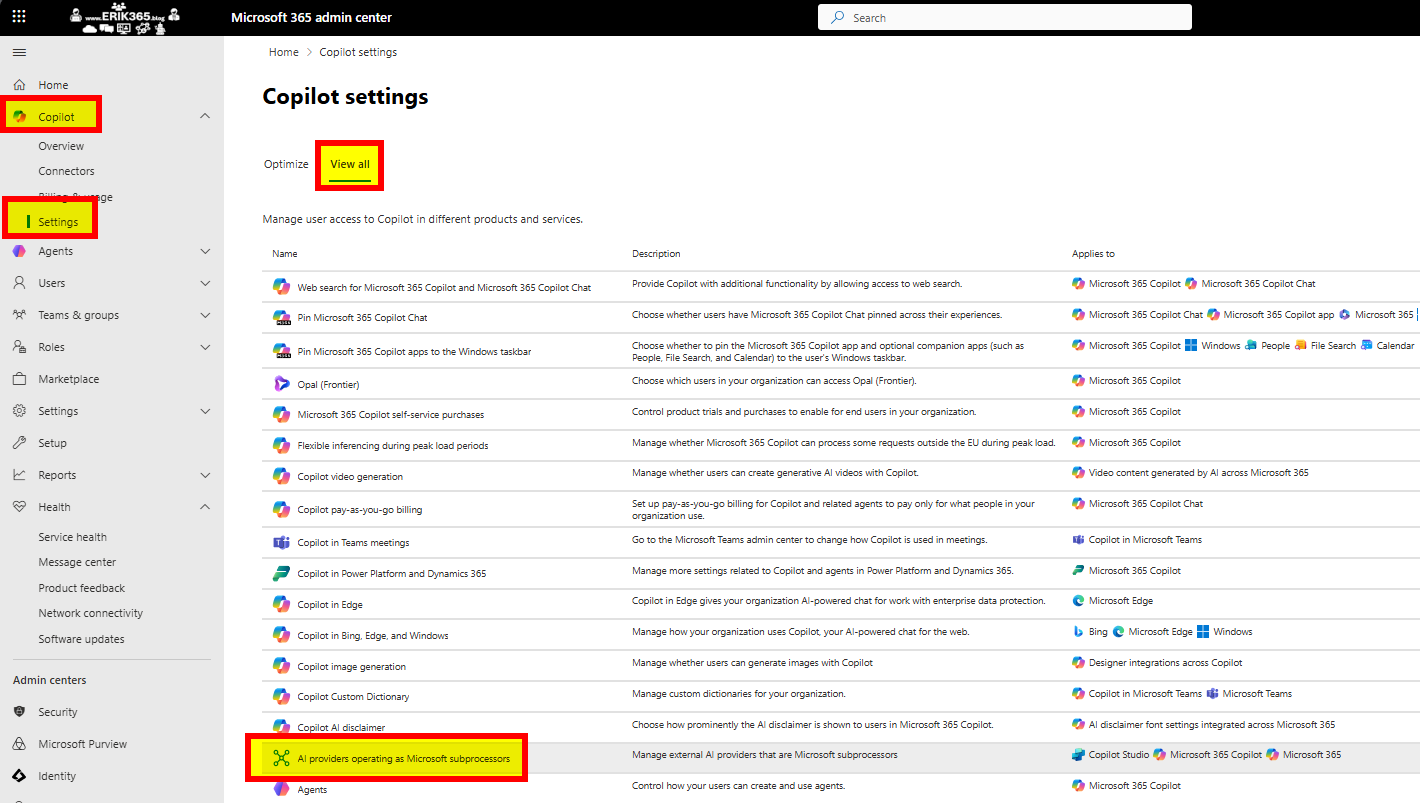
- Review the new setting in the Microsoft 365 Admin Center Copilot
- Settings
- View All
- AI providers operating as Microsoft Subprocessor
- Confirm alignment with your organization’s data residency and compliance requirements.
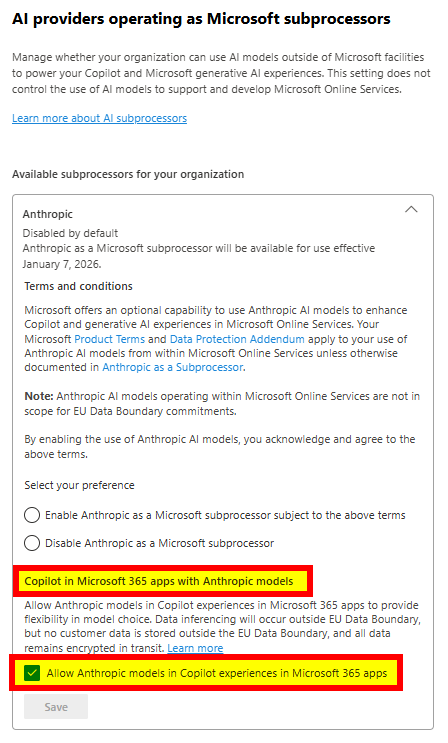
- Change the toggle if you do not want Anthropic models to be available by default for Copilot in these apps.
Conclusion, opinion and summary
I really like the idea that Microsoft 365 is and becomes a versatile AI-powered workplace and productivity platform enriched by different LLMs. But that makes it even more relevant to keep track of all ongoing changes to steadily review, re-evaluate, and re-assess all the moving parts of the services to stay compliant and not deteriorate productivity by setting up things neither to open nor too restrictive.
To start, as you probably read many times, a suited AI framework and holistic (M365) governance (incl. AI capabilities) can help you to achieve your (individual) business and AI-powered workplace goals.




 erik365.blog
Comment / Kommentar verfassen