
A while ago I wrote an article summarizing and showing how you can configure your Microsoft 365 tenant’s branding. This post is an extension and explains how to configure Endpoint Manager branding. If you want to know How to configure branding for your Microsoft 365 tenant? feel free to read the related article. To brand your Endpoint Manager provides a better user experience by showing users in the process of onboarding devices or using devices your company’s logo etc. E.g. if you set up Teams IP Phones or Teams Meeting Rooms (MTRs) it is passing the EPM web portal, even if you don’t use it actively, in this case it’s a good idea to configure it, in my opinion.
How to configure Endpoint Manager branding?
The following sections walks you through how to configure branding for Endpoint Manager or in other words how to configure your company portal, so that you can customize it as needed.
Step 1: Login to the Endpoint Manager Admin Center https://endpoint.microsoft.com/ [you need to be admin]
Step 2: Go to the Tenant administration

Step 3: Go to Customization

Step 4: Click on Edit, to start customizing the branding for your Endpoint Manager tenant (adding org name, logo, …)
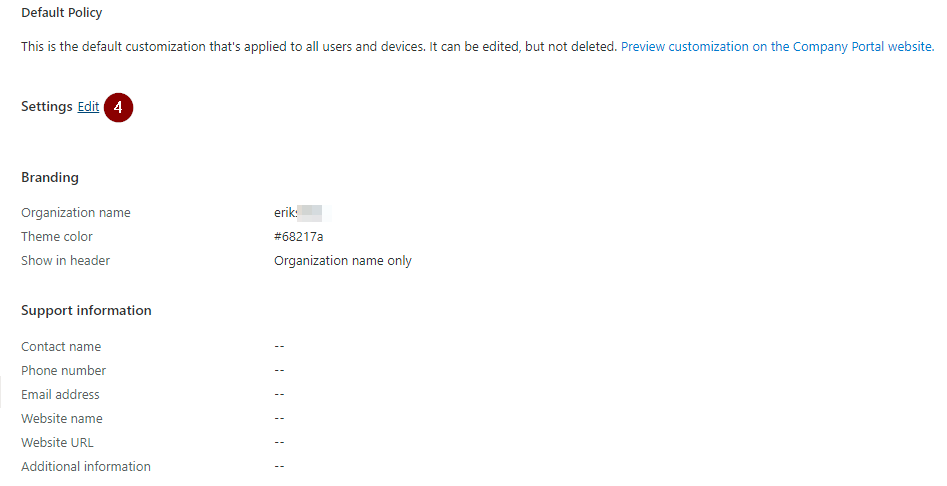

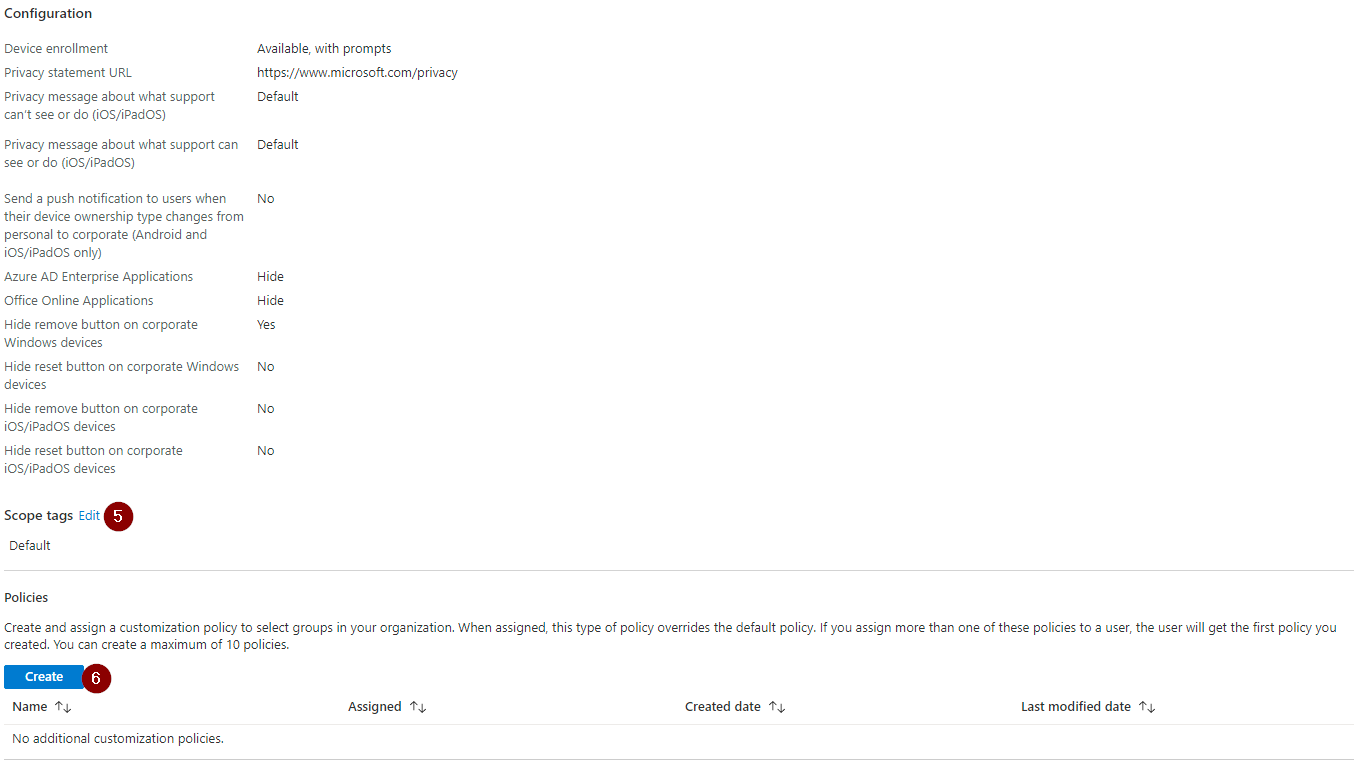
Depending on your organizations size and requirements you might have several brands and want to reflect this towards users. Therefore you can, optionally, configure different customization policies (see Step 6) and assign it as needed (see Step 5).
Step 7: If you want to quickly validate your customization for a user account, you can just login and open https://portal.manage.microsoft.com/
Conclusion, opinion and summary
Configuring EPM branding is optional but no bad idea because all devices including Microsoft Teams Room Systems (MTRs) and Teams IP Phones traversing the EPM company portal. If you have not customized anything there, it will just show the defaults.



 erik365.blog
Comment / Kommentar verfassen